

CV builders are valuable time savers in the job application process. Instead of sweating over your CV’s layout for hours, you can use an online CV maker to produce a colourful, well-formatted CV in just a few minutes.
However, not all CV builders have the same features. In fact, some are free, others cost money, and a few are much better than the rest at CV formatting and generating content. We’ve built CVs using each major UK CV builder and reviewed their features, pricing, and pros and cons.
Here’s a table view of the results if you’re pressed for time, or you can skip ahead to read full reviews:
| Builder Name | Free/Paid? | Number of Templates | File Formats | Mobile App? | Overall Rating |
|---|---|---|---|---|---|
| 1. CV Genius</> | Paid | 15 templates in 7 colours | TXT free; PDF and DOCX behind paywall | Yes | ★★★★☆ |
| 2. LiveCareer | Paid | 39 templates in 9 colours | TXT, PDF, and DOCX behind paywall | Yes | ★★★★☆ |
| 3. MyPerfectCV | Paid | 33 templates in 24 colours | TXT, PDF, and DOCX behind paywall | Yes, but defaults to US version | ★★★★☆ |
| 4. Resume.io | Paid | 27 templates in 5 colours | PDF behind paywall; No TXT or DOCX | Yes | ★★★★☆ |
| 5. Zety | Paid | 18 templates in 24 colours | TXT free; PDF and DOCX behind paywall | Yes, but defaults to US version | ★★★☆☆ |
| 6. CV Library | Free | 1 template | PDF free; no TXT or DOCX | Yes, but need to be in UK or use UK VPN | ★★★☆☆ |
| 7. Student Job | Free | 4 templates in 7 colours | PDF free; no TXT or DOCX | Yes | ★★☆☆☆ |
| 8. Barclays | Free | 1 template | DOCX free; no TXT or PDF | Yes | ★★☆☆☆ |
| 9. Reed | Free | 1 template | DOCX free; no TXT or PDF | Yes | ★★☆☆☆ |
| 10. CV Maker | Paid | 9 templates in 5 colours | Unclear from site whether PDF or DOCX available after payment | Yes | ★☆☆☆☆ |
1. CV Genius
Although we helped design it, we do think the CV Genius CV maker has a friendly interface that welcomes you to create your application document.
You can choose to create a CV from scratch or upload an existing CV. If you’ve uploaded your CV, you’ll see the information the builder has picked up instead, and you can change anything that’s wrong.
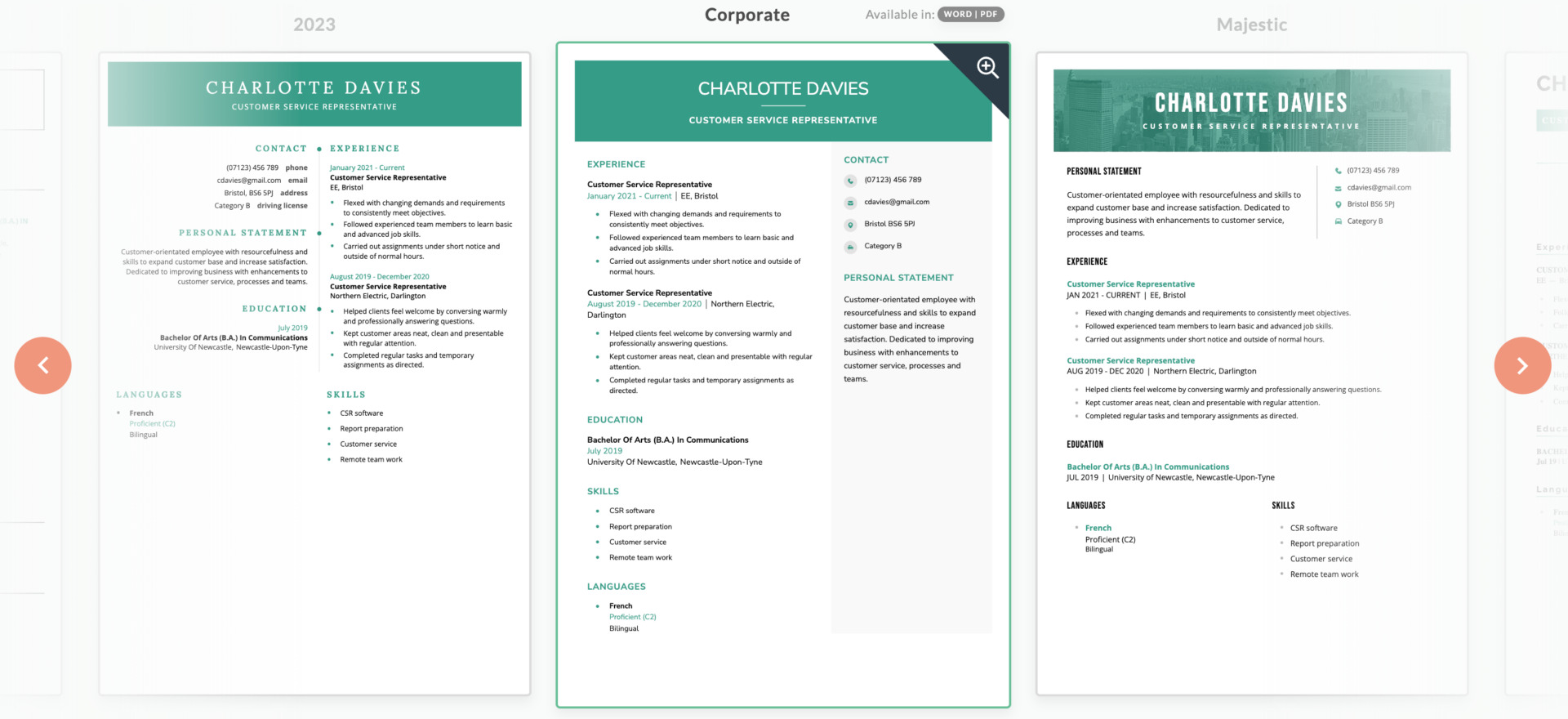
The CV Genius CV builder also provides a range of colourful templates to pick from (15 templates, to be exact, in seven colour variations). So you’ll be able to choose the template that suits your personality and the job you’re looking for.
Like many CV builders on the market, you can play around with your CV as much as you like for free, but you’ll have to pay to download it in PDF or DOCX formats (a TXT version can be downloaded for free).
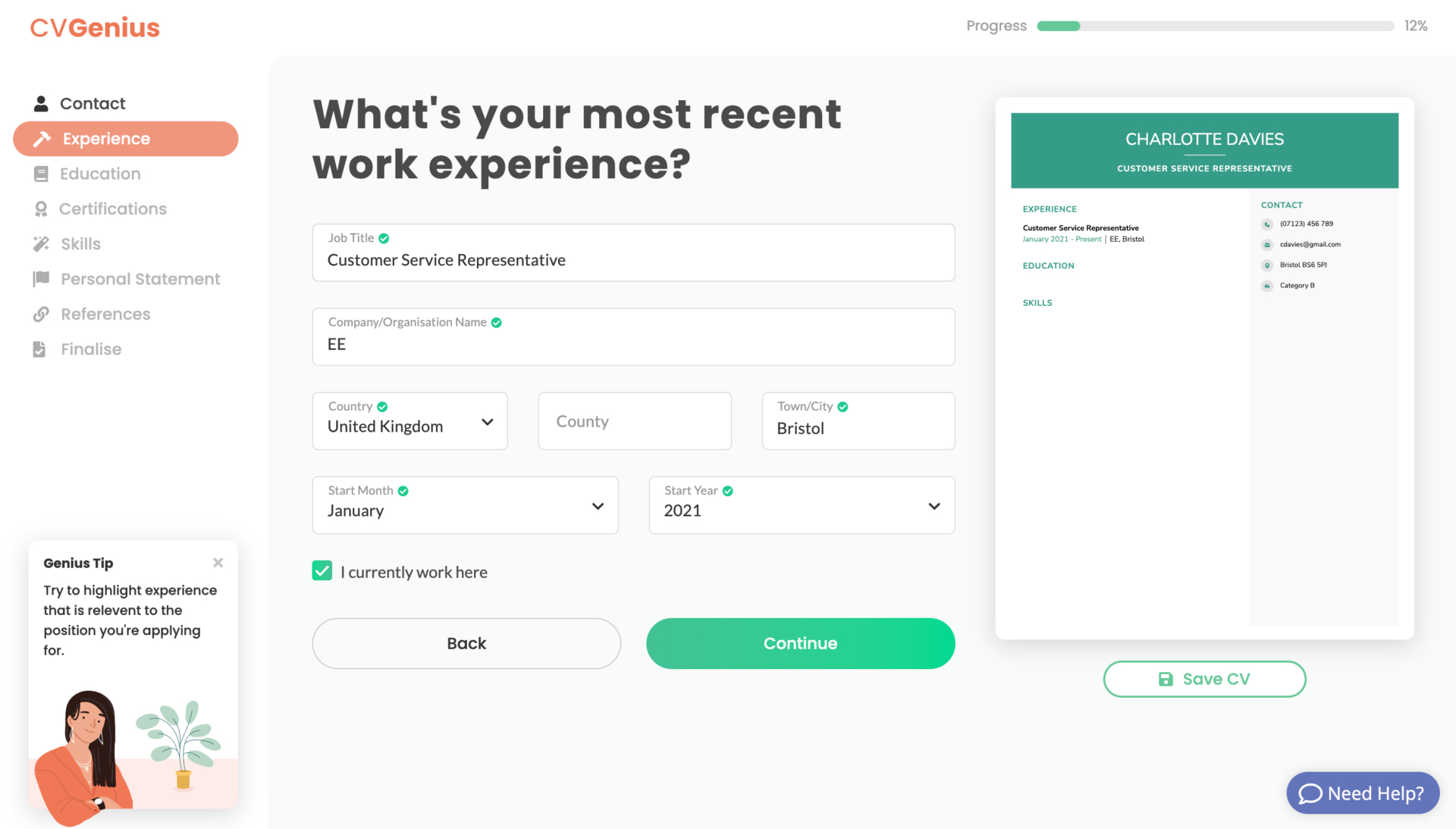
Here’s a look at CV Genius’s interface:
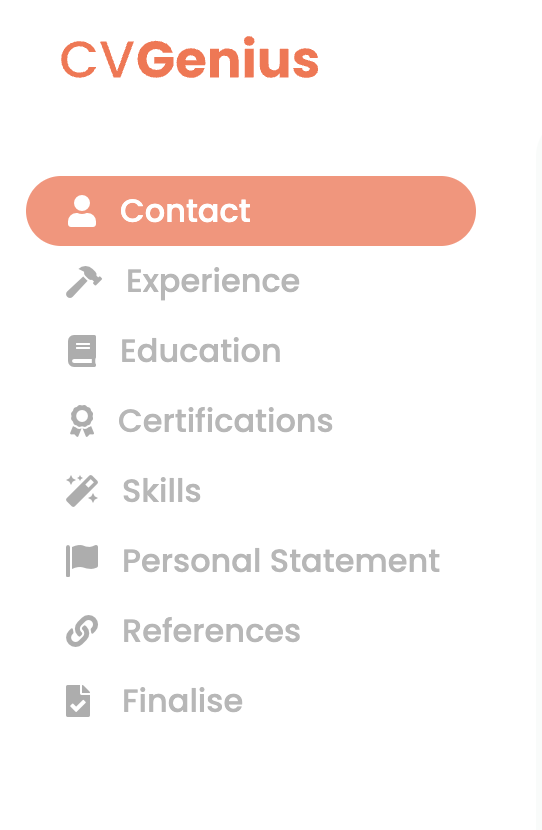
1. The sidebar shows your customisation options
2. Using CV Genius' interface
3. CV Genius' template selector
Pros
- Beautiful, applicant friendly interface
- Hundreds of pre-written bullet points
- Sticks to pounds, making it clearer what you’re paying
Cons
- Slightly fewer CV templates than competitors
- Needs to be tweaked to fully adapt to British audience (language, education section)
Best Pricing Option
Pick the £2.90 subscription option for a fortnight, download your CV, and then cancel your subscription before you’re charged a recurring £17 a month.
Final rating: ★★★★☆
Reasoning: CV Genius has a lovely interface and although a few Americanisms have slipped in, it builds an effective CV for you. It’d get 5 stars if it was fully Britishised (as of reading this review, they’re working on it).
2. LiveCareer
LiveCareer follows CV Genius’s example and includes a colourful full library of CV templates for you to pick from. LiveCareer offers 39 templates, each available in 9 colour variations, meaning you get to pick from 351 unique designs.
However, unless you answer ‘Yes’ to the ‘Are you a student?’ question, you’re only offered three of their templates. So make sure you click ‘See All Templates’ at the bottom of the page.
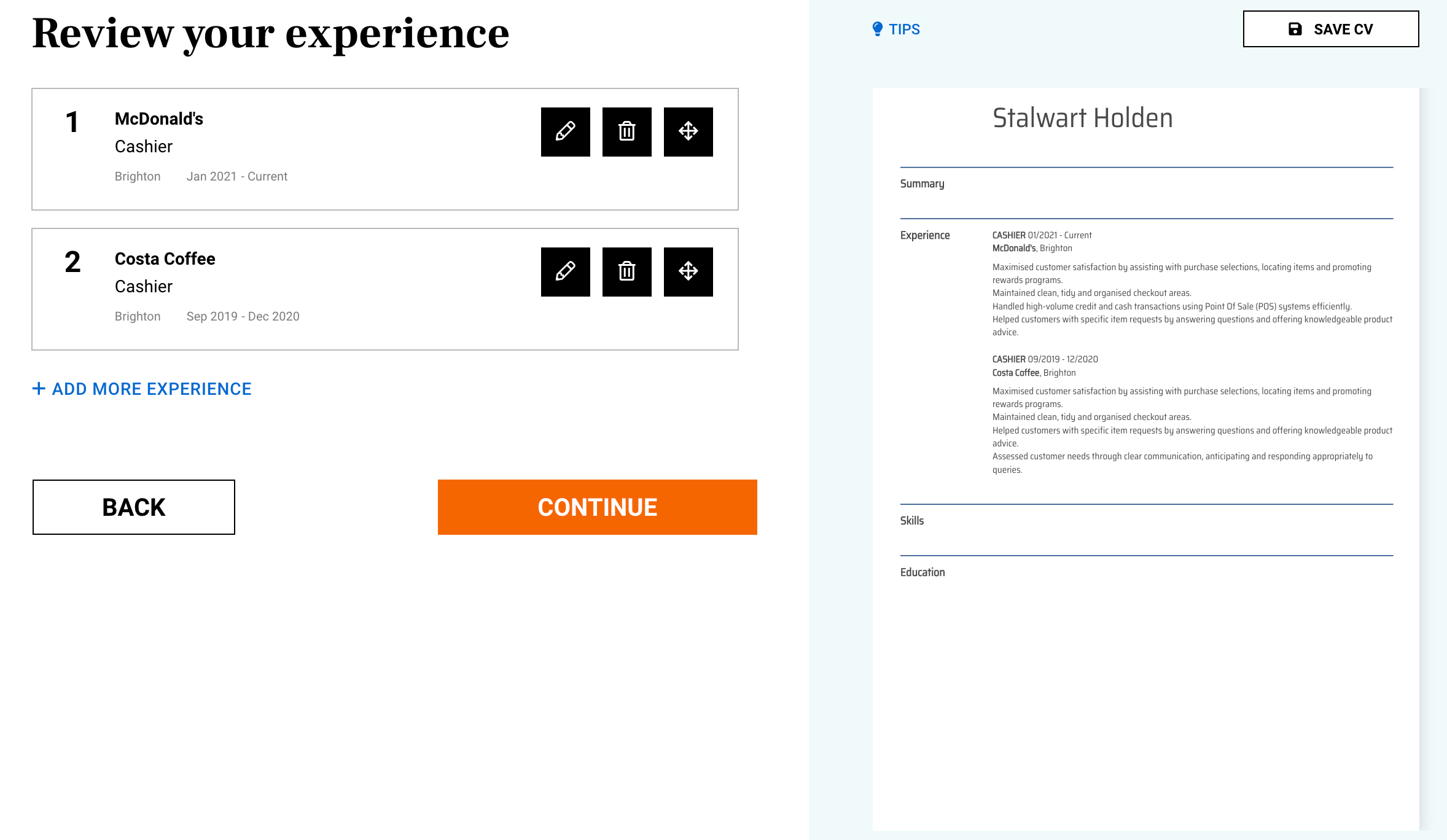
Like CV Library, LiveCareer shows you your CV as it comes together. The interface is straightforward, but like CV Genius, the education section part of the builder isn’t fully optimised for UK qualifications. For example, you can enter ‘GCSE’ but then there’s only space for one subject, whereas most UK students have 8–12 GCSEs. There’s also no way to include a grade or degree classification.
A nice touch is when you come to your skills section, the maker will autosuggest some key skills for the job you entered in your work experience. If you agree, they’ll appear on your CV automatically, or you can pick from other pre-written bullet points yourself.
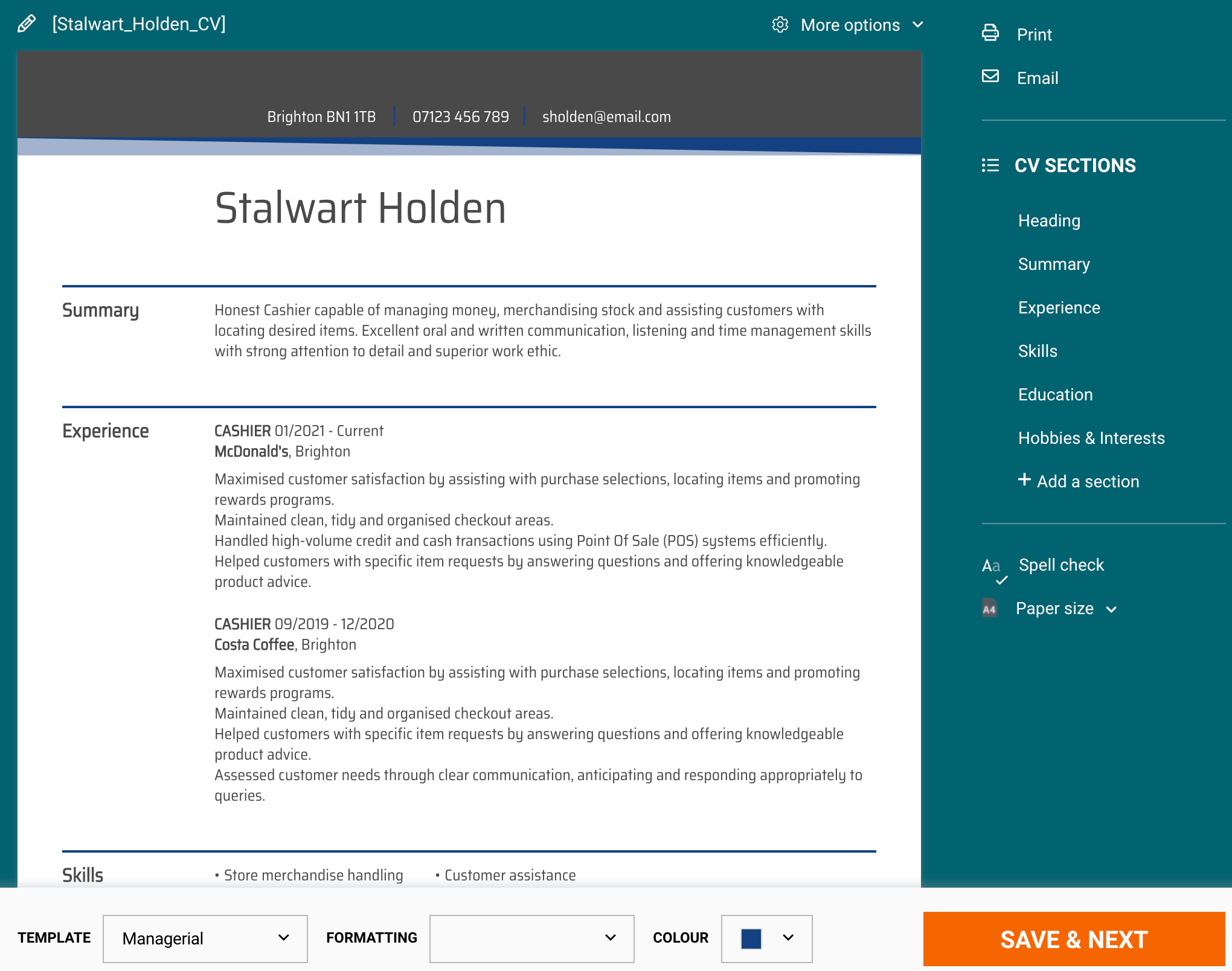
Here’s how LiveCareer’s interface and sample finalised CV look:
Pros
- 351 unique template designs
- Well-thought-out interface
- Preloads content depending on your job title
Cons
- All content hidden behind paywall, even TXT, which other sites do provide for free
- Doesn’t accomodate for the UK education system
- Garish builder colour scheme
Best Pricing Option
We suggest you pick the $2.85 (approx. £2.30) option, download your document, and set a reminder to cancel your subscription before it autorenews for $19.85 (~£16) a fortnight later.
Final rating: ★★★★☆
Reasoning: A solid contender, LiveCareer makes creating a CV online a cinch. To score 5 stars it’d need to adapt its builder to the UK education system.
3. MyPerfectCV
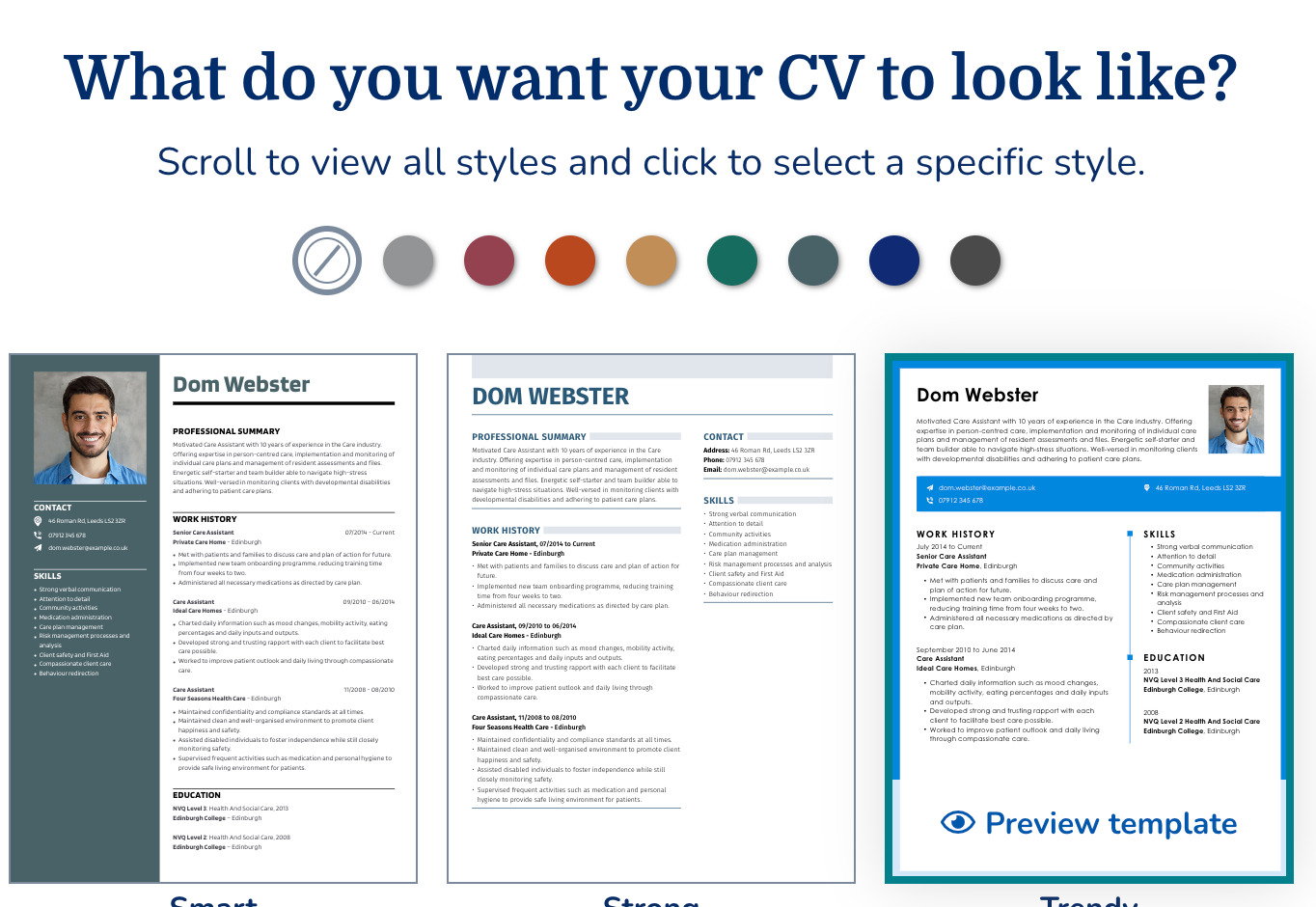
Another good online CV builder is hosted on MyPerfectCV.co.uk. If you’re looking for a big selection of templates, My Perfect CV is a good shout. They have 33 templates each with 25 colours to choose from, so you’re certainly spoilt for choice if you’re the kind of person who enjoys personalising your CV.
What makes this customisability better is that you can hit the ‘Preview’ button at any stage to get a look at your CV.
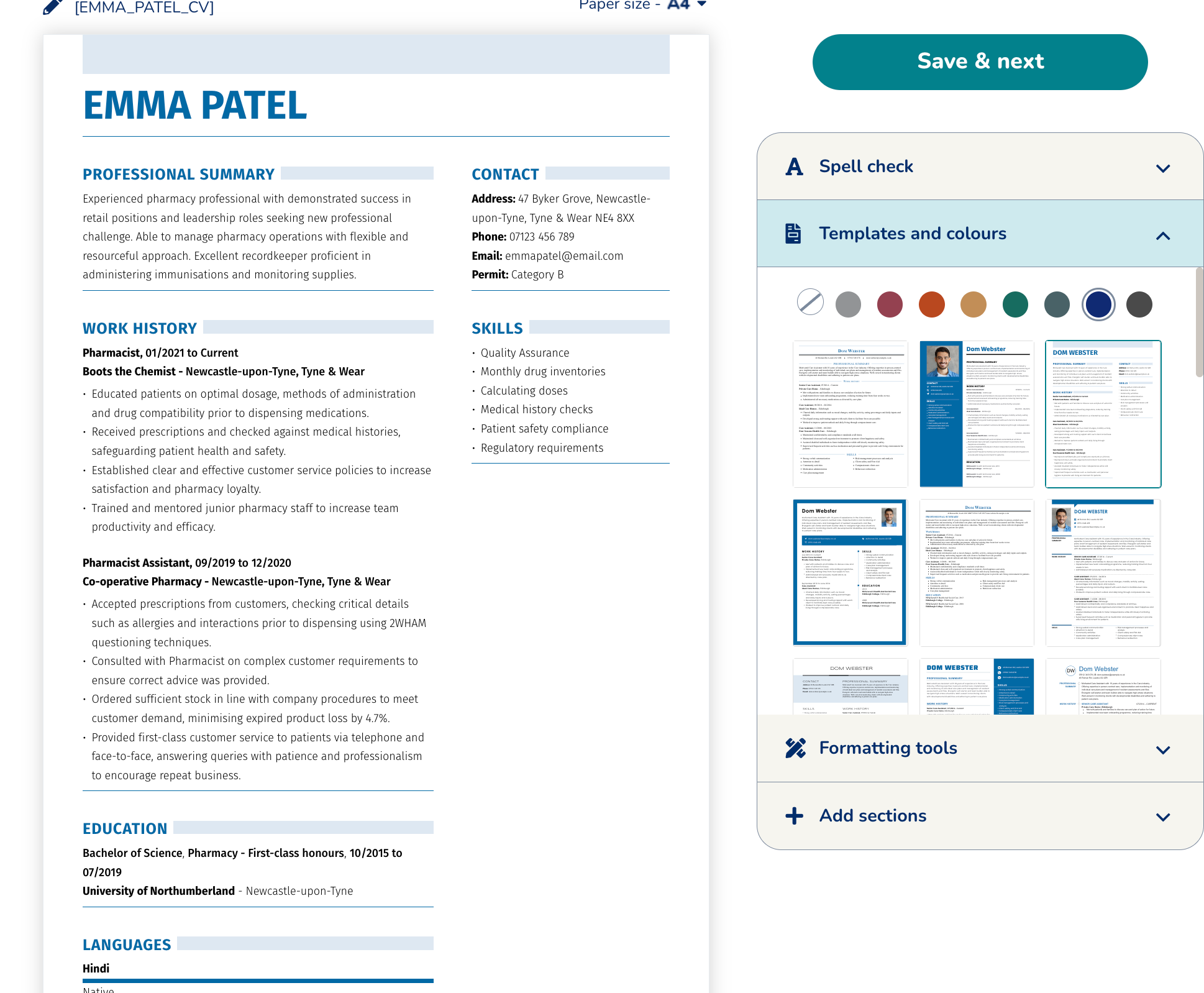
Once your CV is finalised, you can further adjust the appearance and use the tool’s built-in spell checker. You can also customise the formatting on your CV, from font size and indents to paragraph and line spacing.
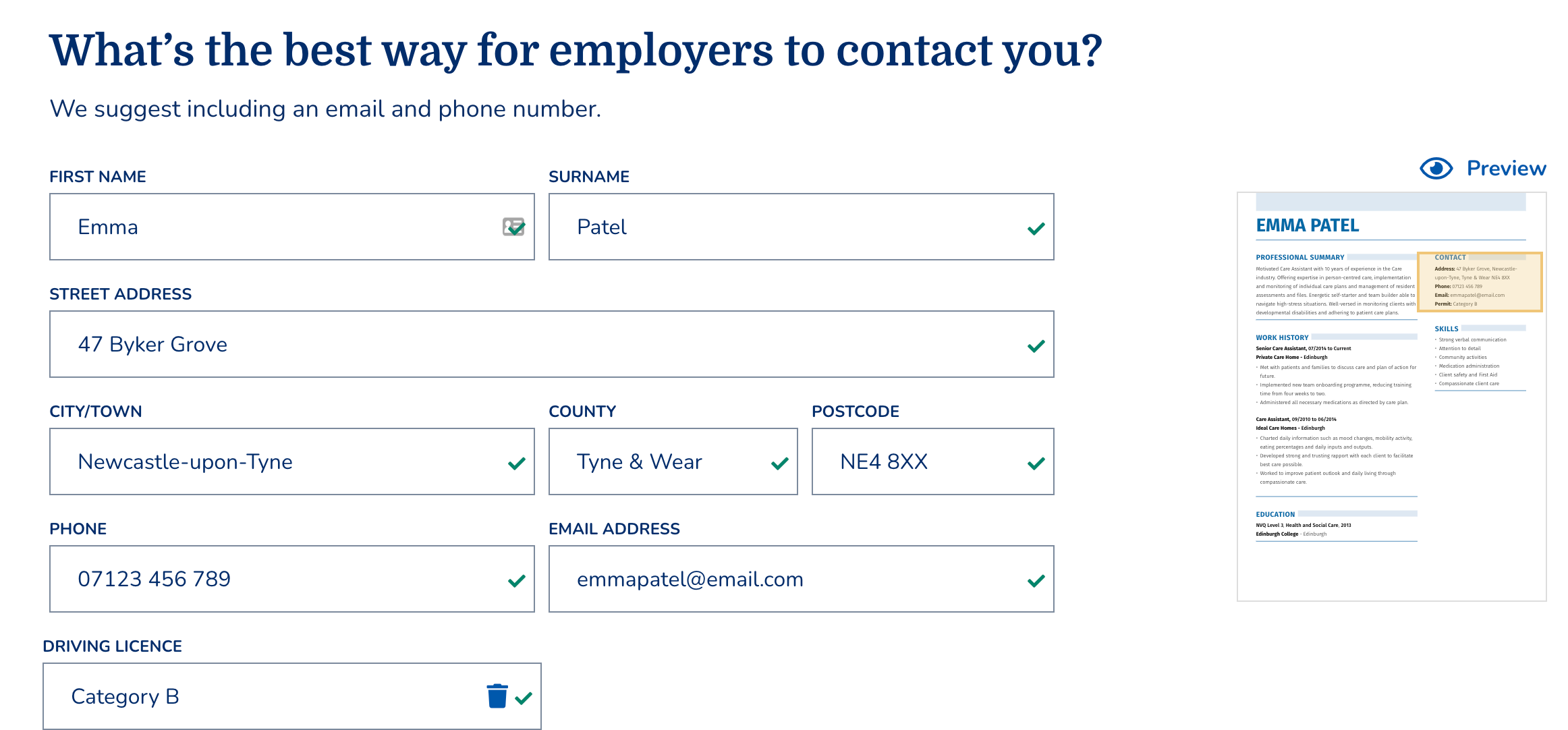
We’ve added a few screenshots to show you My Perfect CV in action:
1. Selecting a template on MyPerfectCV
2. Entering your details on MyPerfectCV
3. Finalising and formatting a MyPerfectCV CV
Pros
- The most template variations available — 825 choices
- Customise page spacing, sizing, fonts, font colours, everything you could ever want
Cons
- No PDF or DOCX file until you pay
- Customisation options can be overwhelming if you’re not a professional designer
Best Pricing Option
After you’re happy with your completed CV, pay $2.95 (~£2.40) to download your CV in PDF, TXT, or DOCX format. My Perfect CV lets you cancel within 14 days, and even offers to refund the initial subscription charge if you’re unhappy with your CV.
Final rating: ★★★★☆
Reasoning: Great for users who love customisation.
4. Resume.io
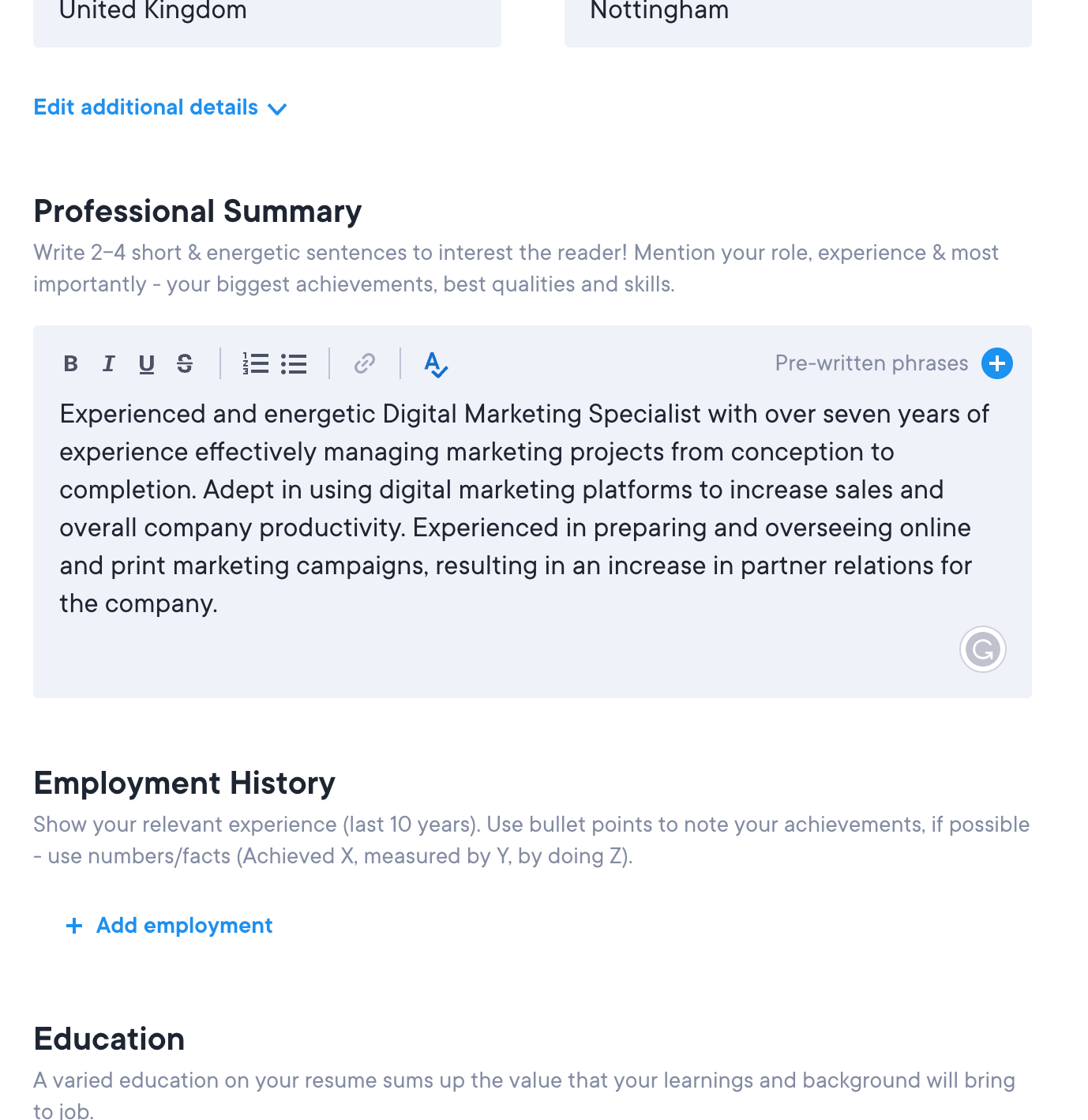
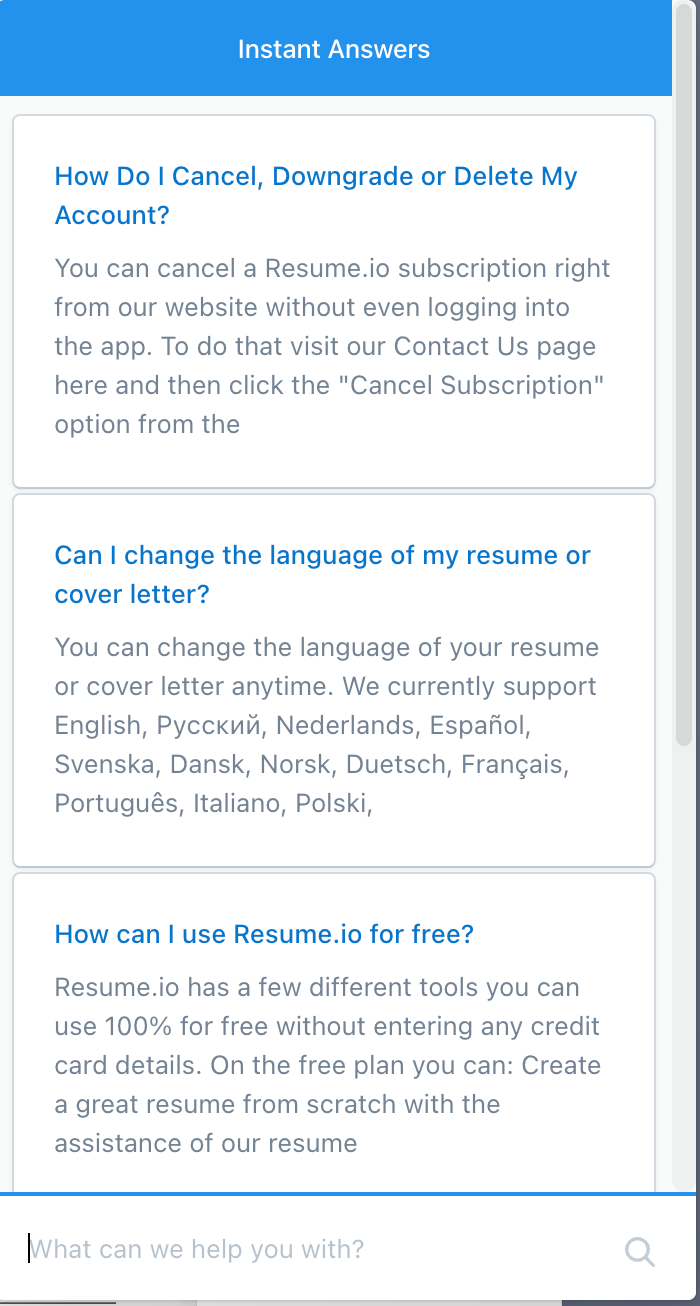
Despite being a resume builder, Resume.io’s software acts as a decent CV maker because it includes the option to set your country. After that, you can either type your own personal statement and work experience or select from pre-written content based on the job you held.
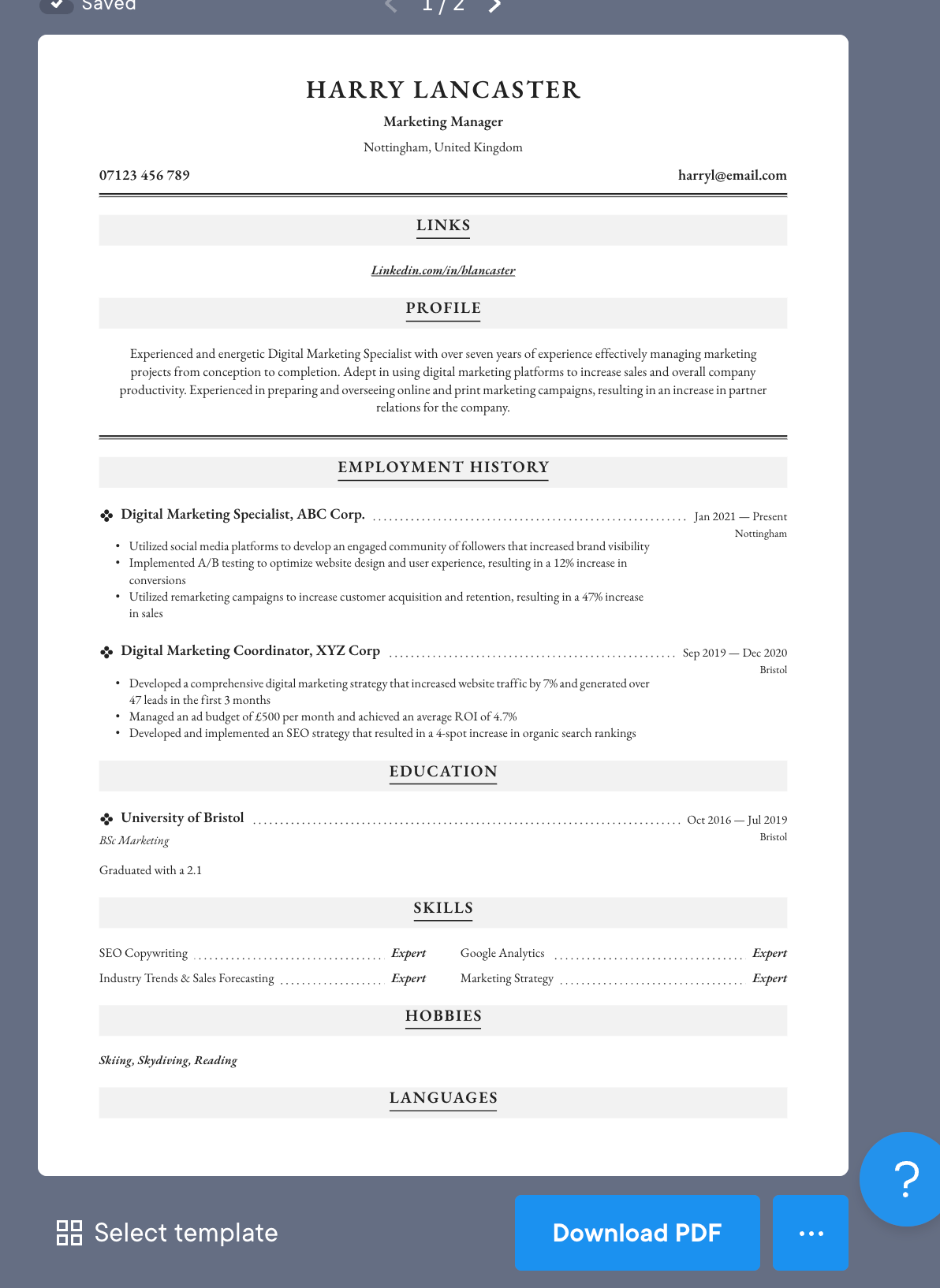
Like CV Library, you can fill in your information on the left and see your CV take shape on the right-hand side.
The only nag we have is that Resume.io should make your CV downloadable as a DOCX so you can tailor it to new jobs. You’re forced to take out a longer subscription if you need to edit your CV on their website.
Take a look at Resume.io’s offering:
Pros
- Can see your CV update in real time
- No hidden subscription tricks
Cons
- No DOCX download
- Not fully localised for the UK
Best Pricing Option
Each of the three pricing options are non-recurring, unlike the other CV builders we reviewed. The cheapest deal is £2.61 for 24 hours’ access to your CV as a downloadable PDF, and there’s no need to set a reminder to cancel recurring payments.
Final rating: ★★★★☆
Reasoning: Resume.io lets you see your CV being built in real time, and has a transparent and fair pricing scheme. Despite technically being a resume builder, you can create a professional CV with it.
5. Zety
Zety’s CV builder is actually a resume builder, but it can still get the job done for Brits.
The Zety builder is full of Americanisms, which makes it difficult for British users to utilise when making a CV. For example, ‘university’ is referred to as ‘school’, which can be confusing if you don’t realise the builder is asking about your university education, while qualifications you can list on your CV include ‘High School Diplomas’ and ‘GEDs’, which don’t exist in the UK.
On the other hand, Zety offers the ability to add extra sections to your CV, such as hobbies and interests and language skills, so you can build a traditional UK CV.
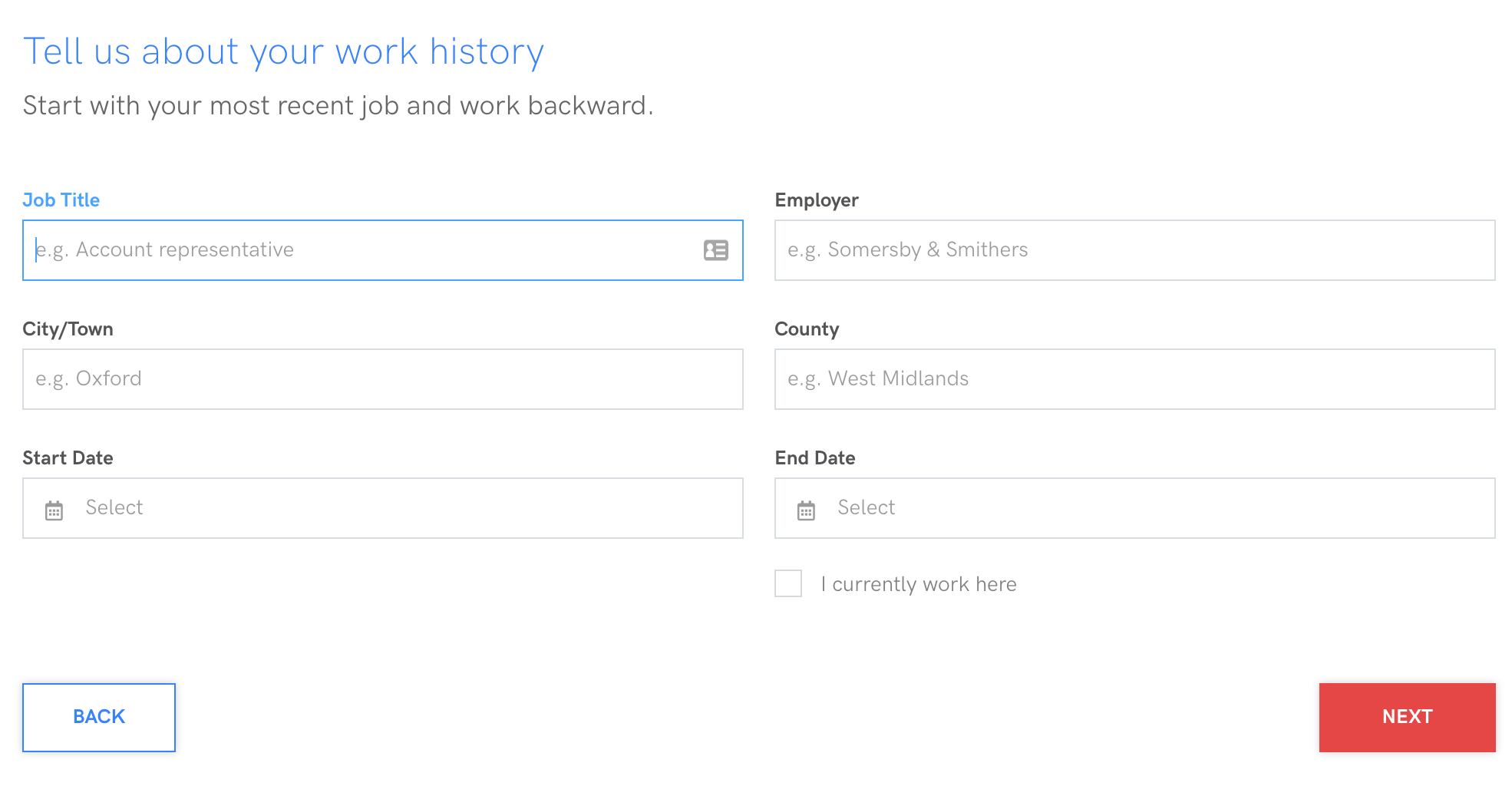
Here’s how to use Zety:
Enter info into Zety's simple interface
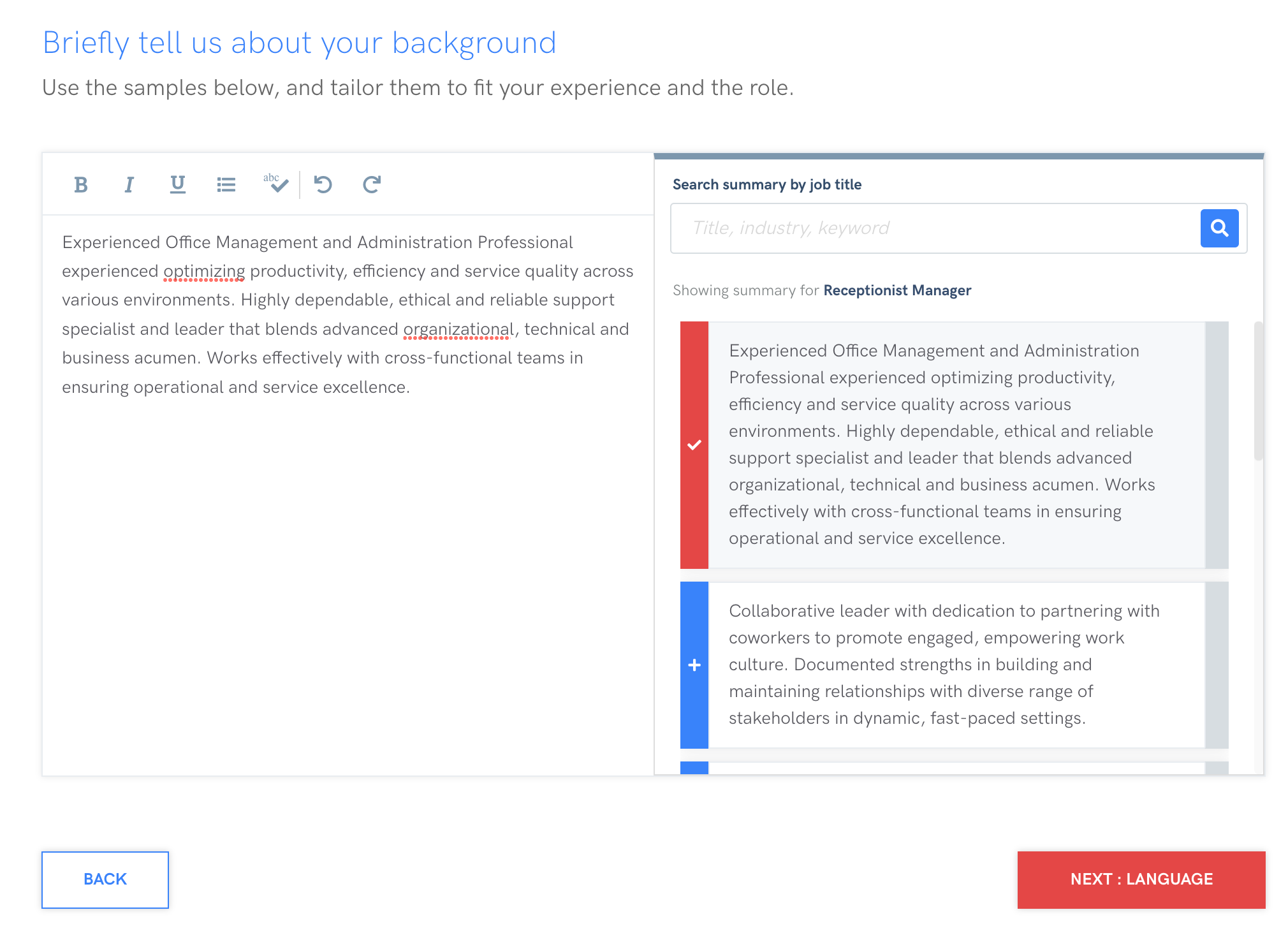
Pick a pre-written profile from Zety
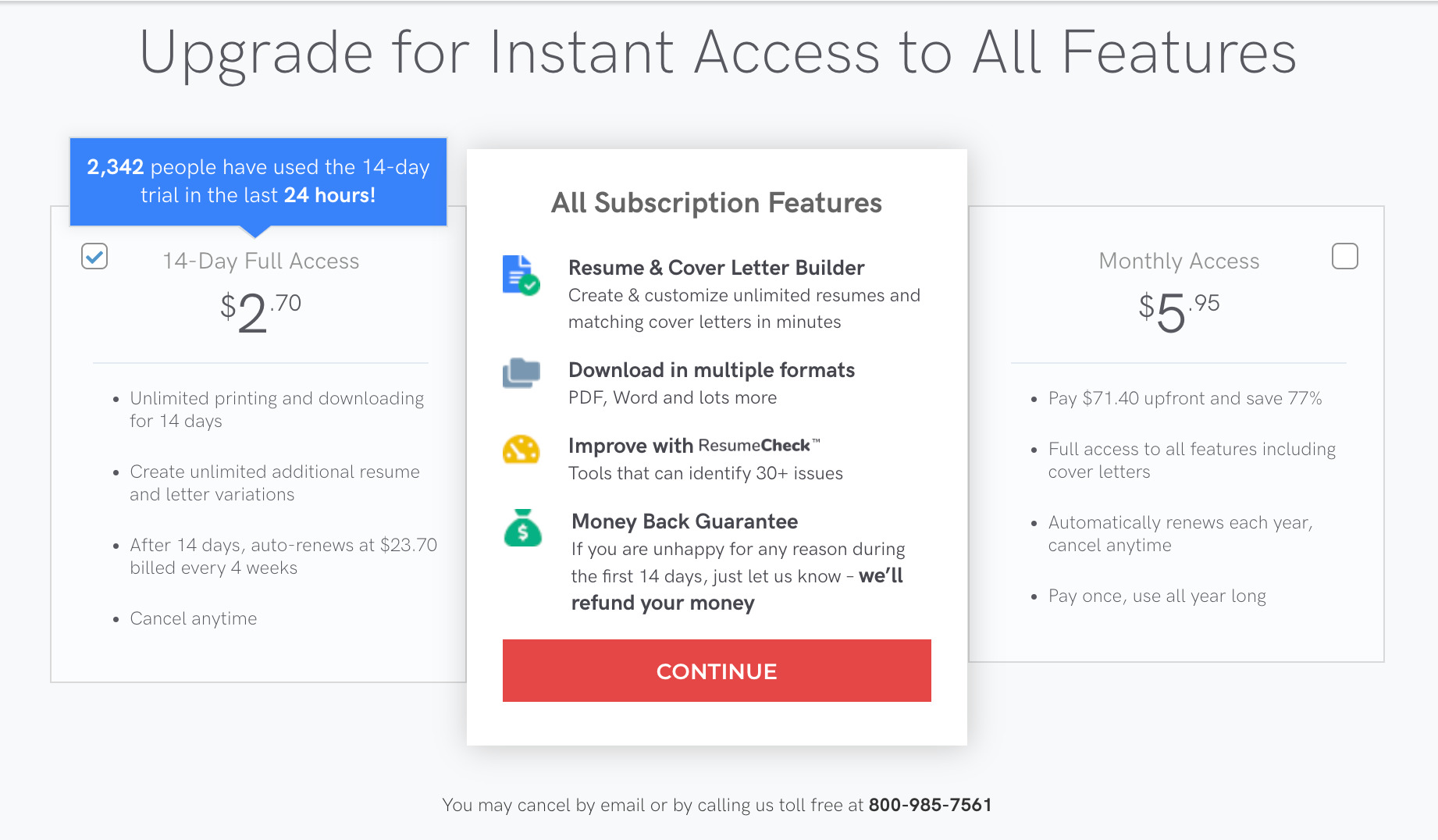
Choose one of Zety's pricing option
Pros
- Modern design
- Let’s you add UK-standard sections like hobbies and interests
Cons
- By default, you’re building a resume (not a CV)
- Unsuited for UK educational qualifications
Best Pricing Option
To obtain your completed document, you’ll need to pay $2.70 (about £2.20) and remember to cancel your subscription within a fortnight. You can download a TXT file for free though.
Final rating: ★★★☆☆
Reasoning: Too many Americanisms to be a good option for the UK.
6. CV Library
CV Library offers a builder primarily to help you apply for the thousands of jobs available on the CV Library job search site.
Understandably then, their CV maker is an addition to their site rather than the centrepiece.
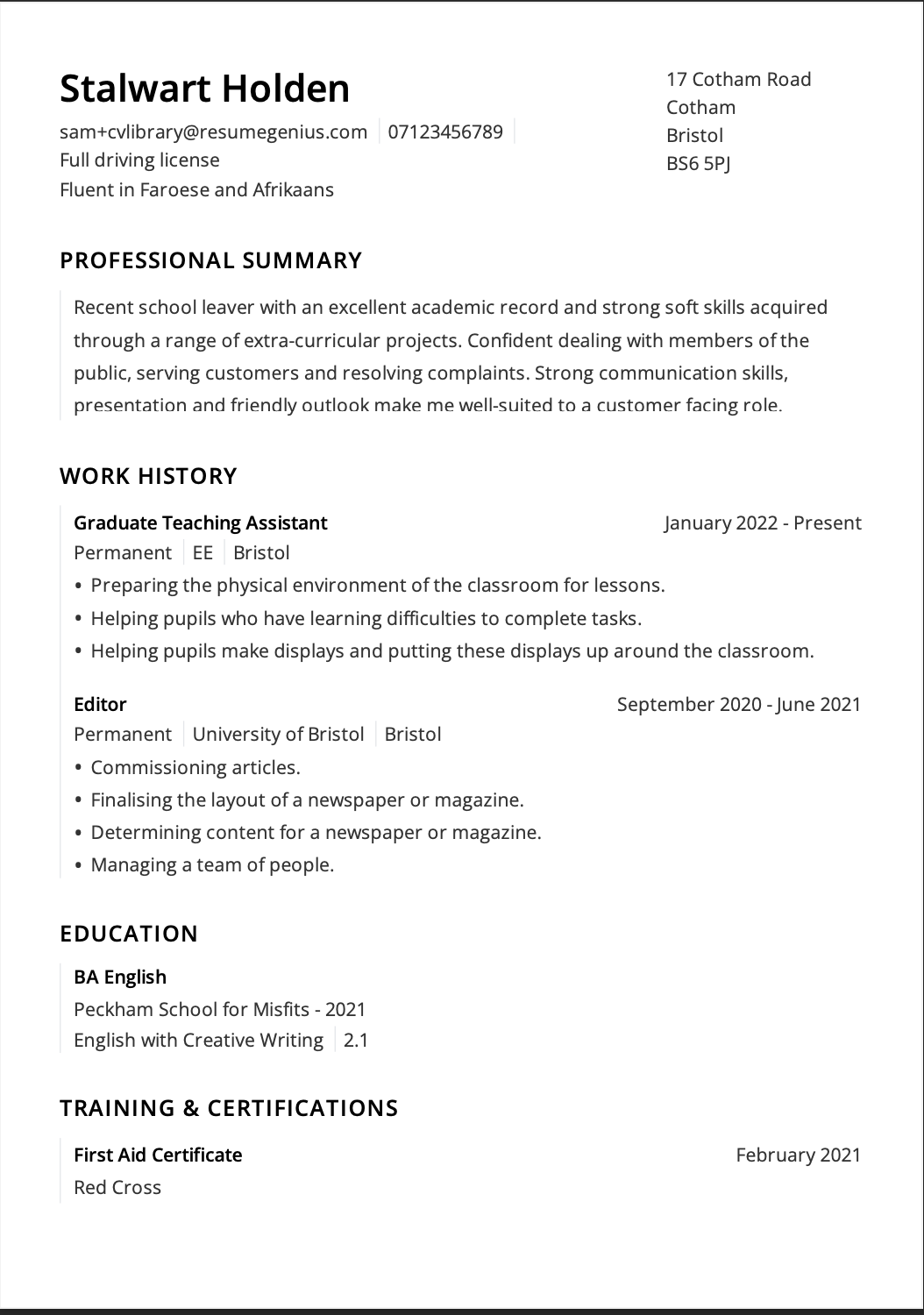
Because of that, they only offer one template, and there are no colour options, so your CV may end up looking identical to the CVs of this site’s other users.
As a free tool, you can download your CV as a PDF without paying, but there’s no DOCX option, meaning you can’t edit your CV without logging back onto their platform.
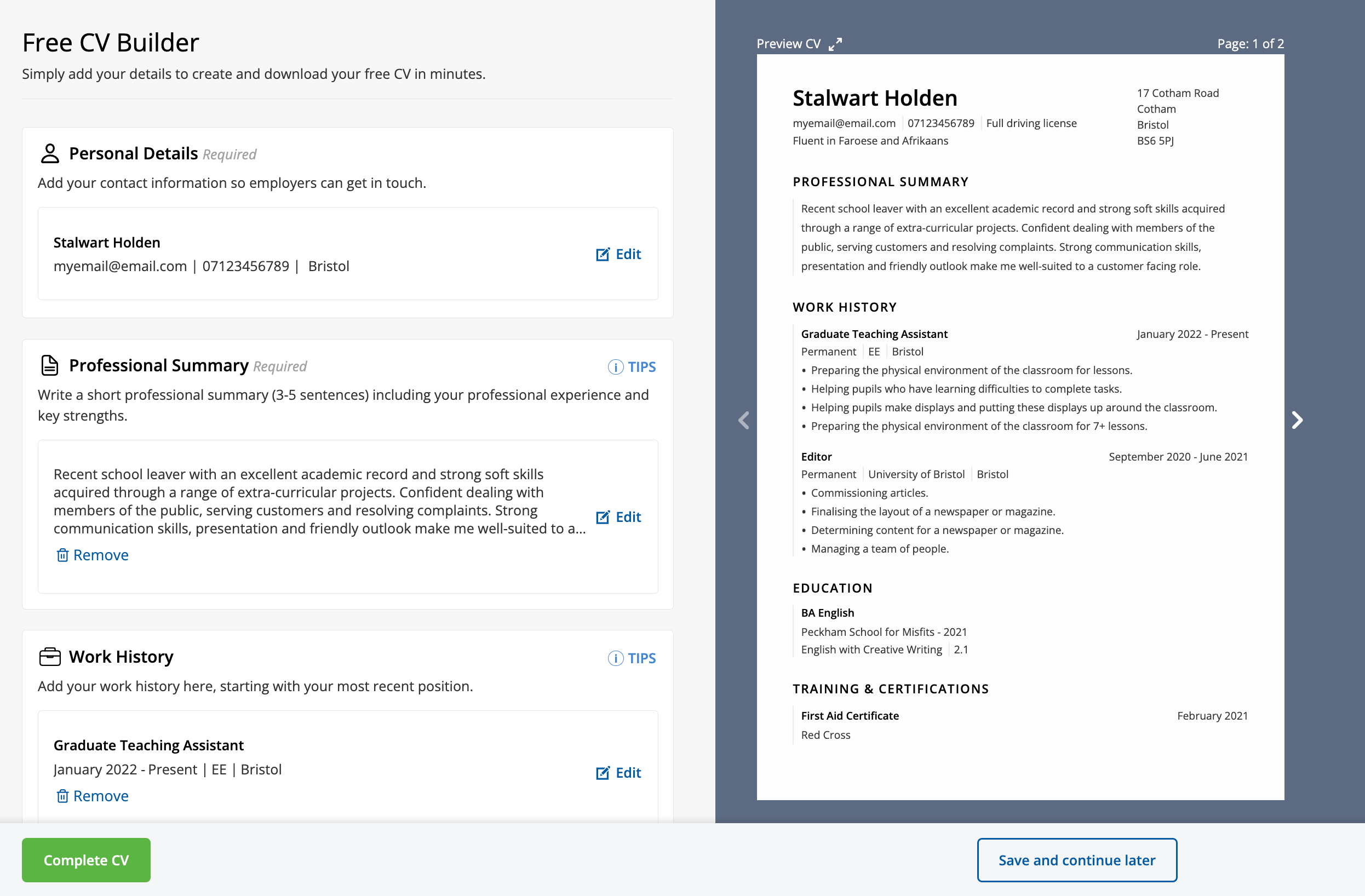
The plus side of using CV Library is that you can see your CV being updated in real time as you add information to it. CV Library uses a unique interface where you enter your details on the left hand side, while the right hand side displays your in-progress CV.
This viewpoint makes it easy to see how your CV is turning out. But it’d be cooler if CV Library had more CV templates so you could switch between them while you’re making your CV to see how different CV designs could make your information stand out.
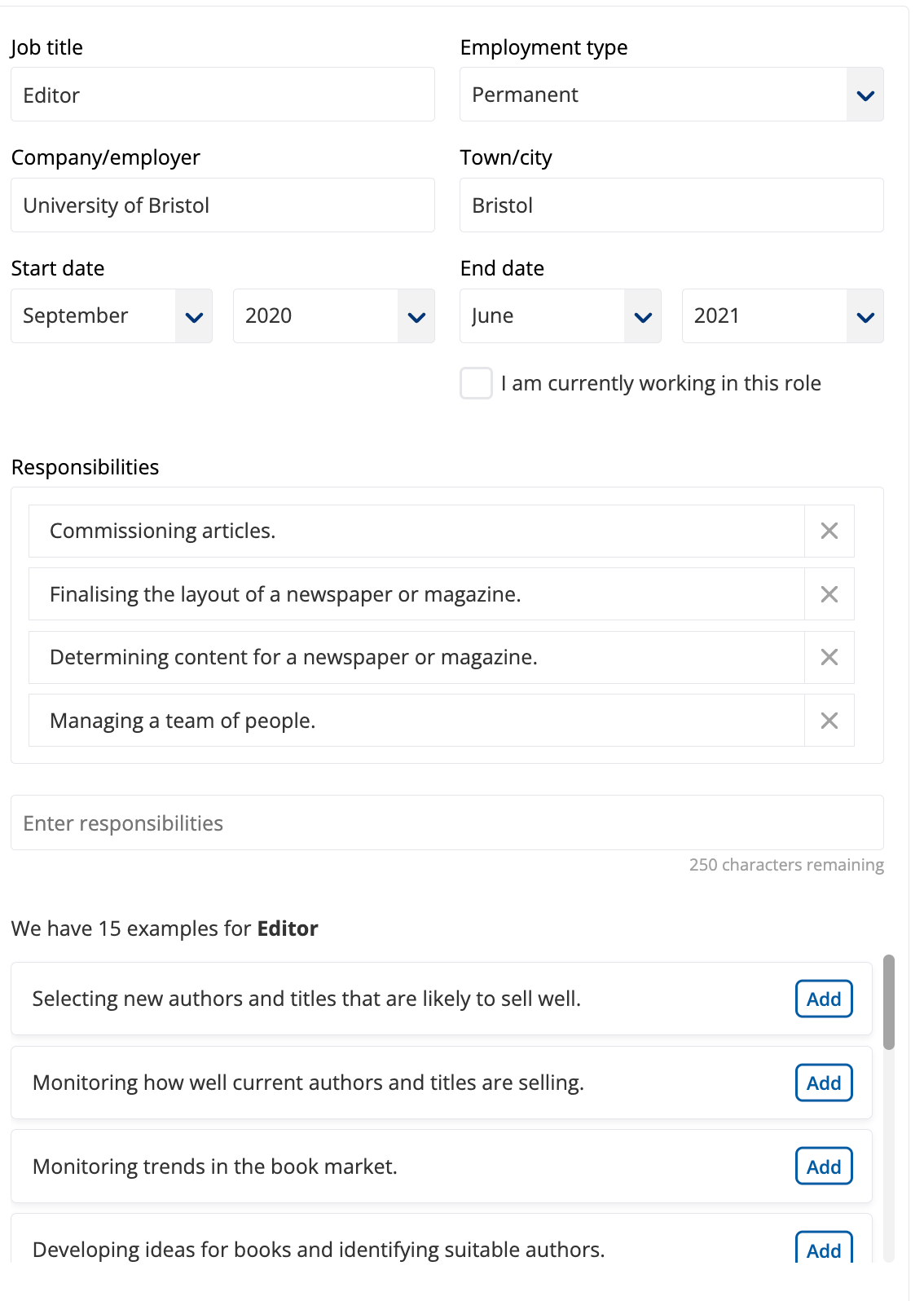
Here’s CV Library’s interface and their template:
Pros
- Fully free
- Unique interface
- Downloadable PDF available
Cons
- Only one template available
- Few pre-written content available, especially for less common jobs
- No other file formats to download
Access Options
CV Library is free, but you can only download your CV as a PDF.
Final rating: ★★★☆☆
Reasoning: CV Library only has one template on offer, so you might struggle to stand out among a crowd of applicants.
7. Student Job
Student Job is available in several European languages. So if you’re intent on making a CV in French, Spanish, German, Swedish, or Dutch, you’re in luck.
Student Job’s CV builder offers four template choices, so there’s not much customisation in comparison with other CV builders.
Student Job’s builder might be visually apealing, but there is little CV writing advice to help you along.
As with other similar free CV builders, Student Job doesn’t offer any pre-written content. This lack of content generation makes using it a comparable experience to downloading a simple CV template and filling it in yourself.
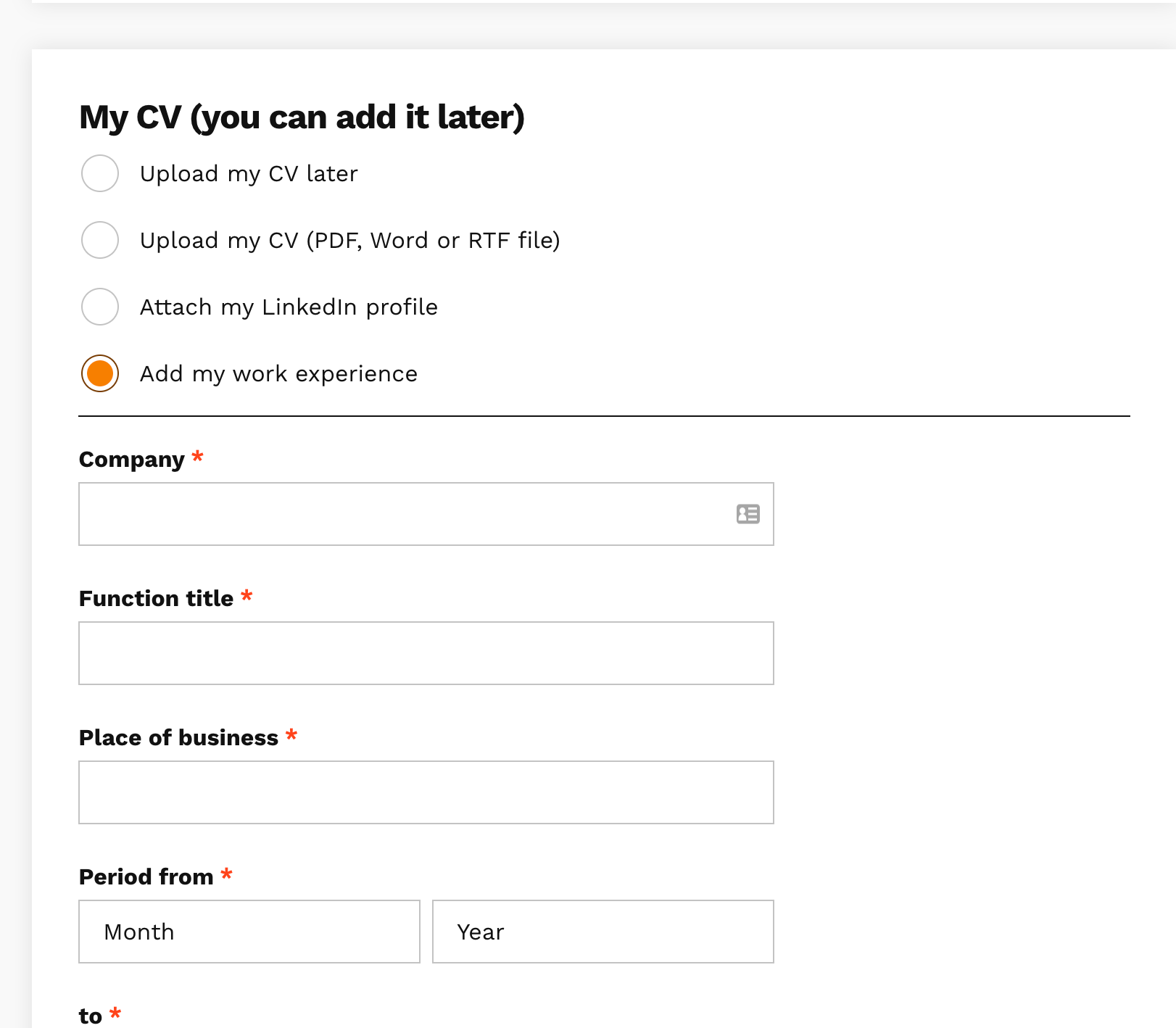
Here’s a look at this builder’s interface:
1. Entering basic details into Student Job
2. Building your Student Job CV
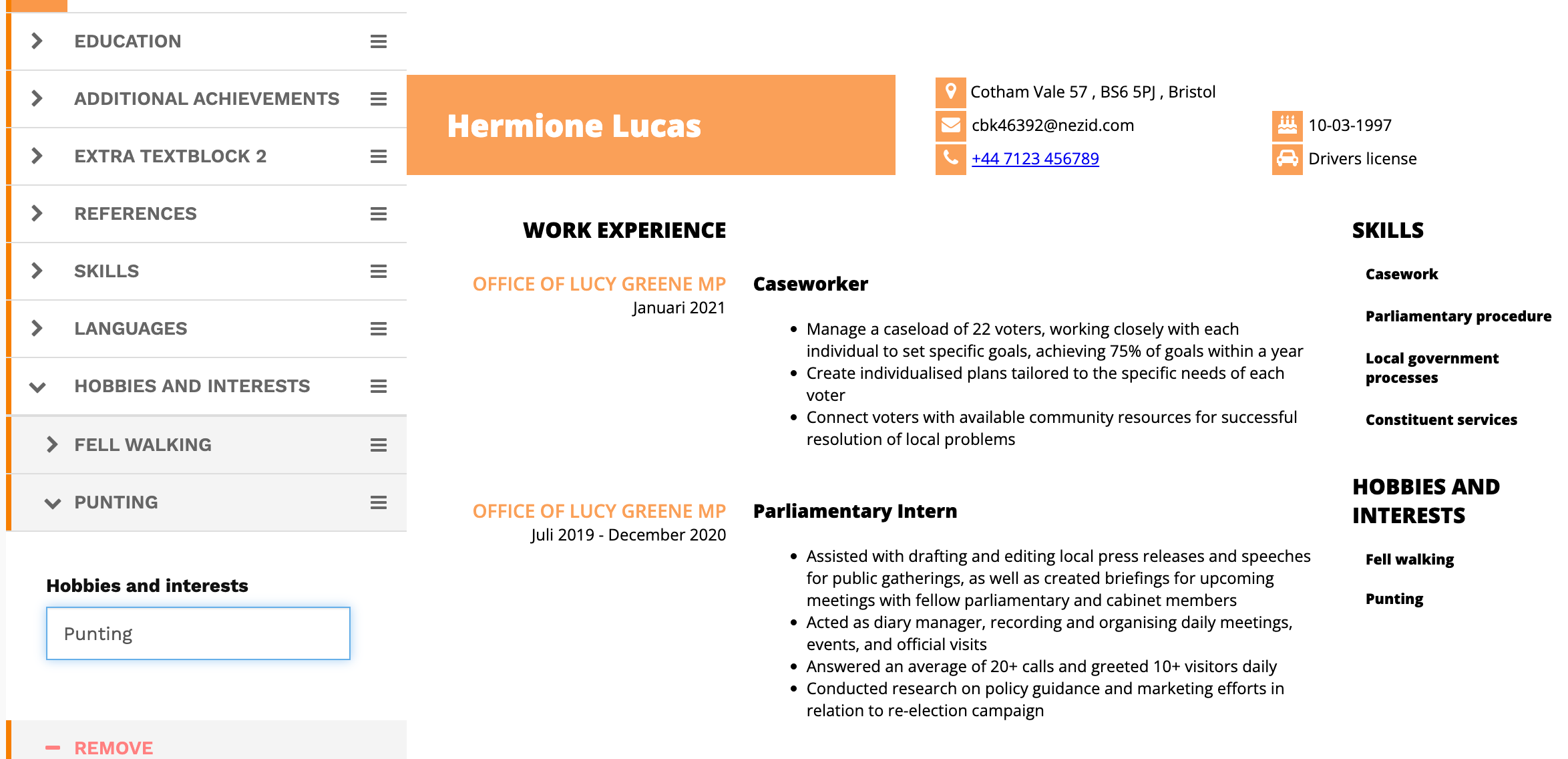
3. Downloading your CV from Student Job
Pros
- Interface and CV building available in several languages
- Targeted to first time job writers
Cons
- No DOCX support
- Clunky, slow interface
Access Options
Like CV Library, Student Jobs is free, but you’re limited to a PDF download.
Final rating: ★★☆☆☆
Reasoning: No pre-written content already means Student Job scores lowly. Its clunky design and lack of customisation add to its lack of appeal. It’s only handy if you need a CV in a foreign language.
8. Barclays
Barclays’ builder’s welcome page notes you’ll need to spend between 60 and 90 minutes building your CV. After testing the tool, it’s clear why: there’s no auto-generated content or writing support.
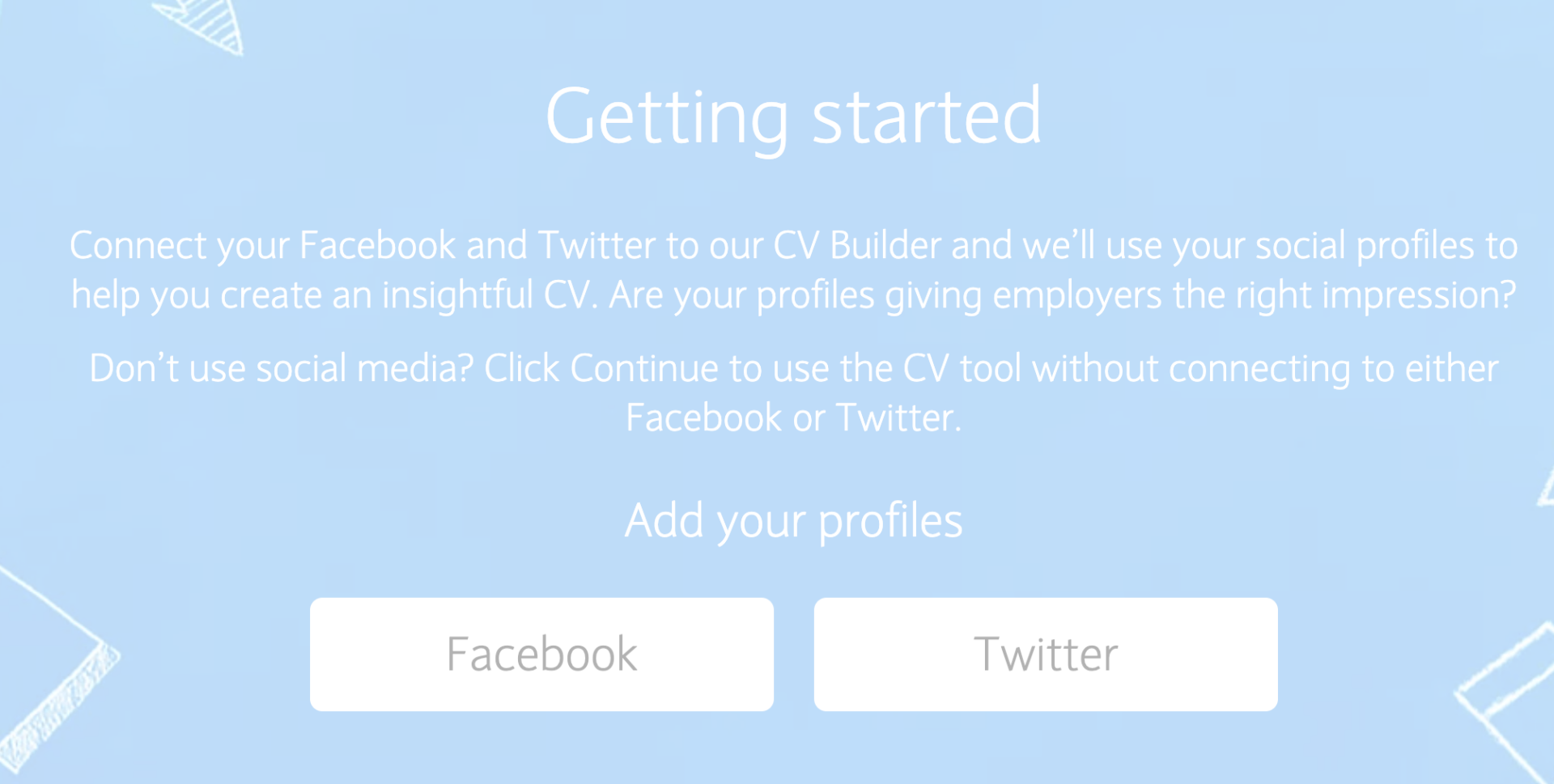
However, you can connect your Facebook and Instagram to the tool to populate your CV with content, which might help by filling out some of your basic information.
Barclay’s software also prompts you to add a CV photo if you’d like. However, we recommend you don’t add a photo to your CV unless the job calls for it, because you want to steer clear of potential employer discrimination.
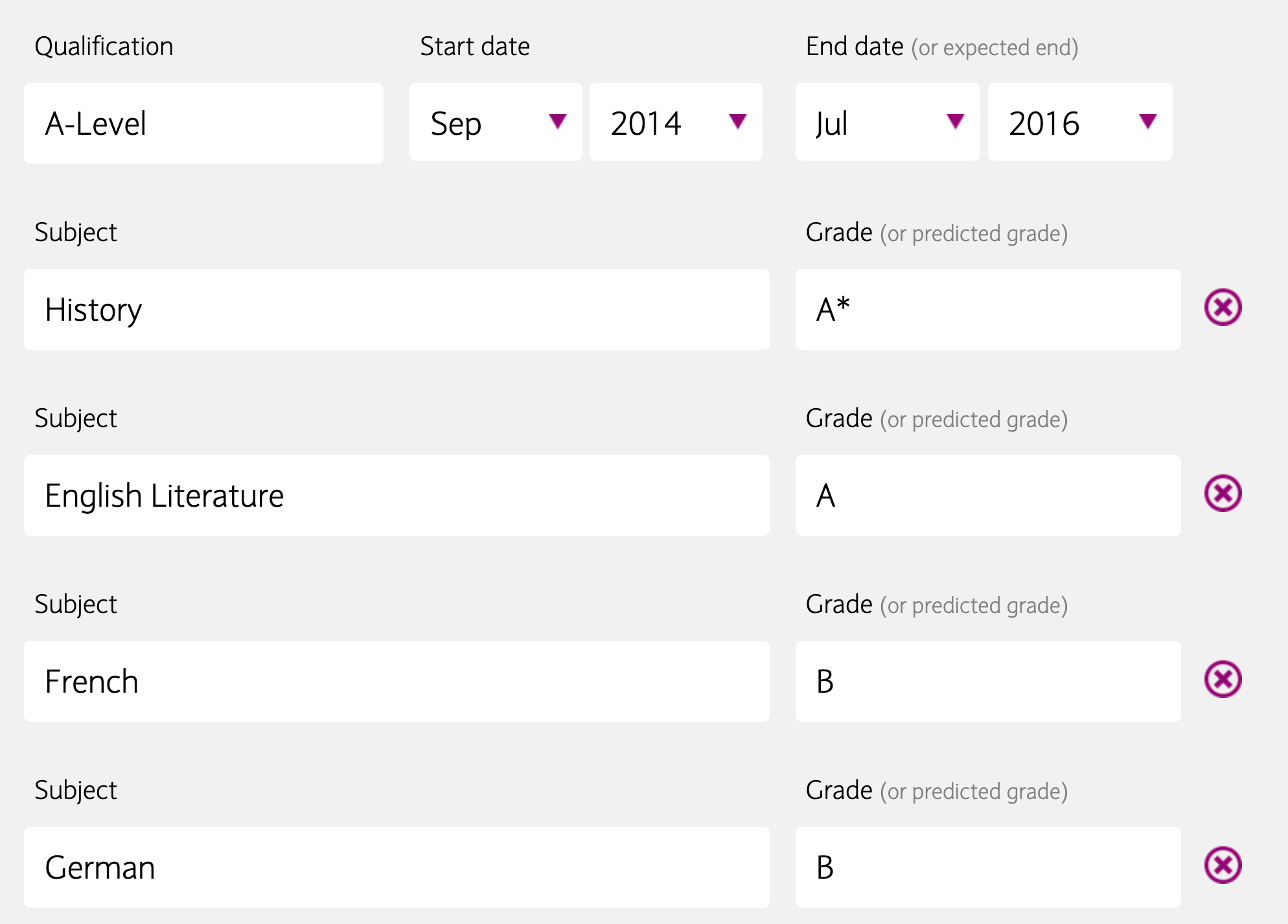
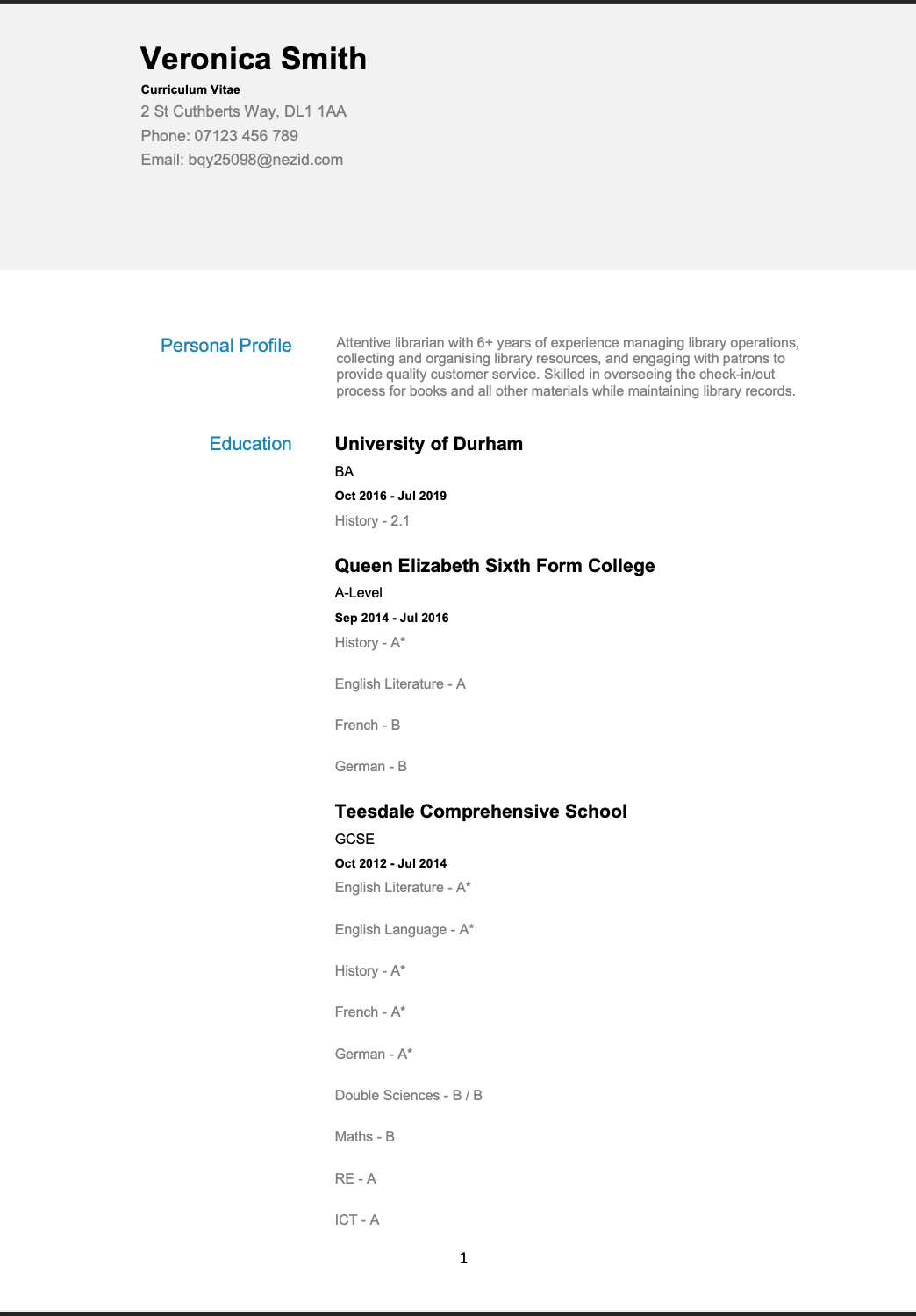
The education builder is the one thing that Barclays do get absolutely right. You can add each GCSE, A-Level, and higher degree, with a grade for each subject.
Here’s some advice on using Barclay’s builder:
1. You can add social media through Barclays' builder
2. Barclays let you add A-Levels
3. Barclays' CV (note the white space)
Pros
- Clearly a site that wants to teach young job hunters how to create a CV
- Perfect UK education section builder
Cons
- Makes the CV creation process long and repetitive
- Little support if you’re not great at writing CVs and don’t learn from their site
Access Options
Barclays’ builder is free, but you’re limited to a DOCX file. There’s no PDF available, although it’s simple to save a DOCX file as a PDF.
Final rating: ★★☆☆☆
Reasoning: A site that teaches skills to teens, Barclays understandably wants to teach students how to write a CV, a laudable goal. But it’s practically useless if you want to quickly produce a quality CV.
9. Reed
Reed offers a basic CV maker. As this is a job search website like CV Library, it’s understandable that their CV builder is a secondary concern.
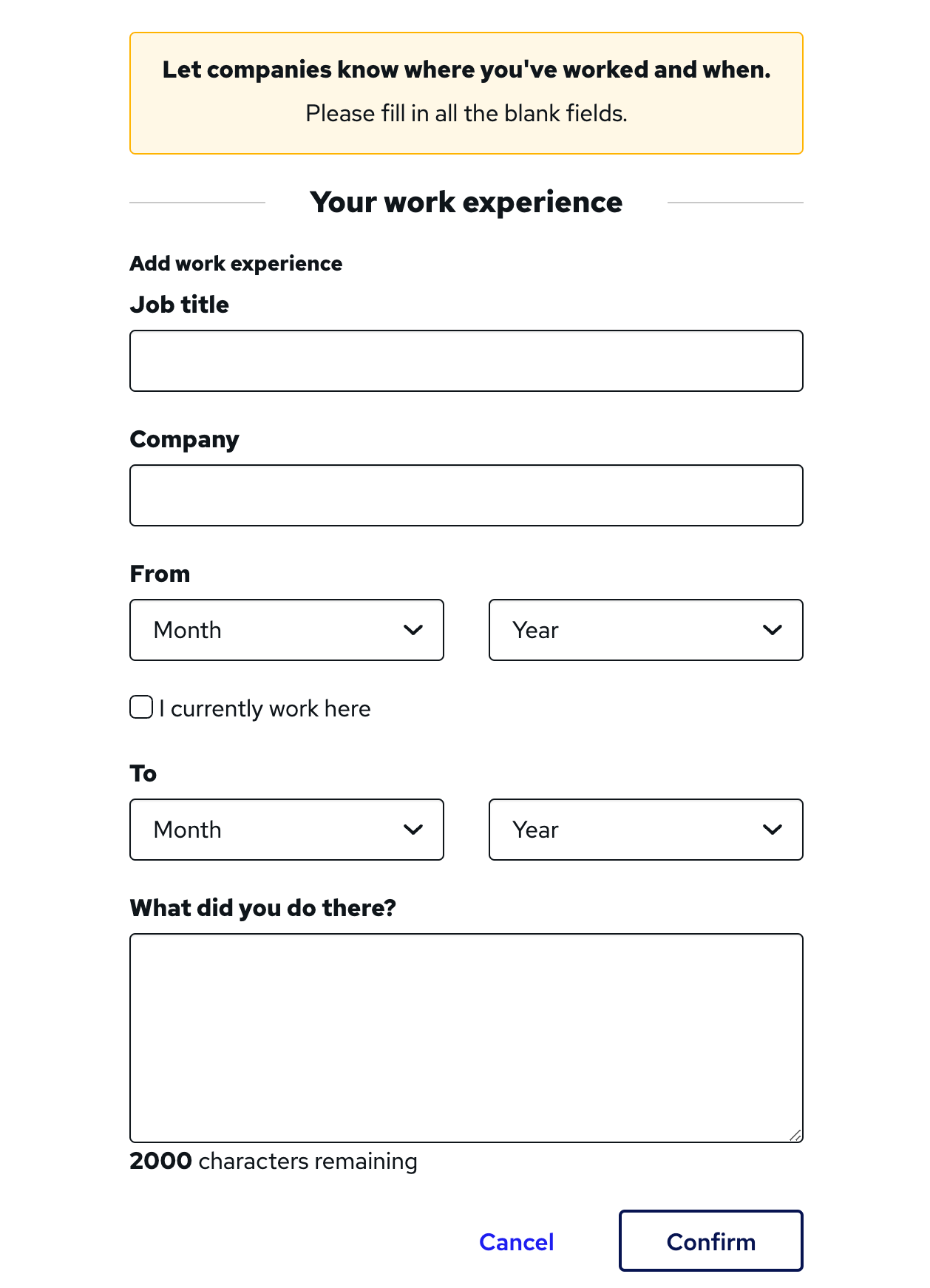
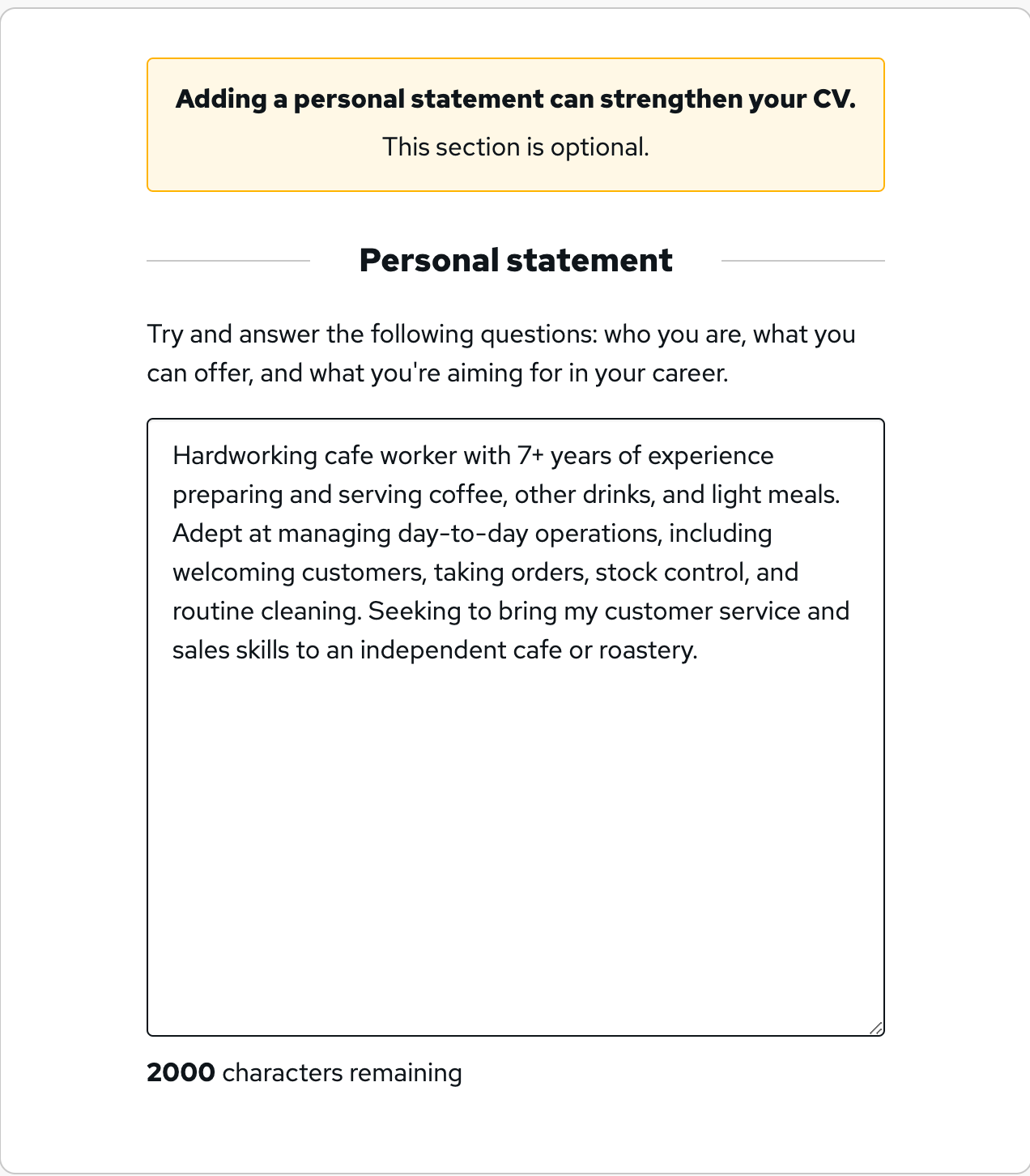
Unlike its competitors, there are no pre-written bullet points for you to build your work experience section from. You also have to write your own personal statement because Reed’s builder doesn’t generate that for you either.
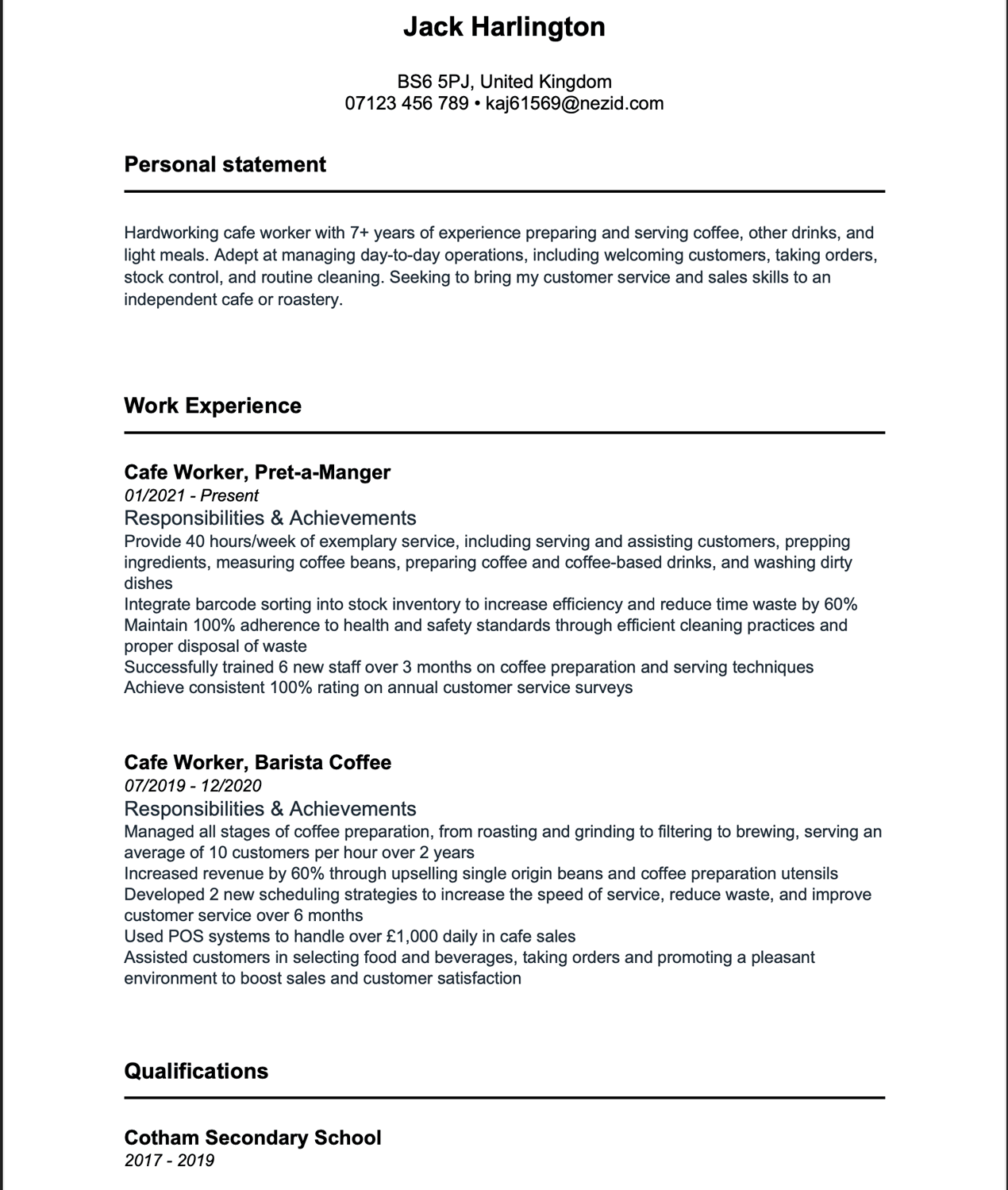
In contrast to other CV builders, however, Reed lets you download your CV as a DOCX file, so you can download it and edit it to your heart’s content.
Here’s a peek at the Reed CV maker experience:
1. Enter your work history on Reed
2. Reed requires you to type a CV summary
3. Download your Reed-built CV
Pros
- CV available in Microsoft Word format for free
- Provides guidance on filling out CV sections
Cons
- No pre-written content available
- Basic black-and-white template won’t help you stand out
Access Options
Your Reed-built CV is free, but you’ll only have access to a DOCX file.
Final rating: ★★☆☆☆
Reasoning: Reed’s CV builder walks users through the process of making a CV, but doesn’t provide content generation features, making it take longer to use.
10. CV Maker
CV Maker don’t seem to know what a resume is because they vary between calling the document a CV and a resume.
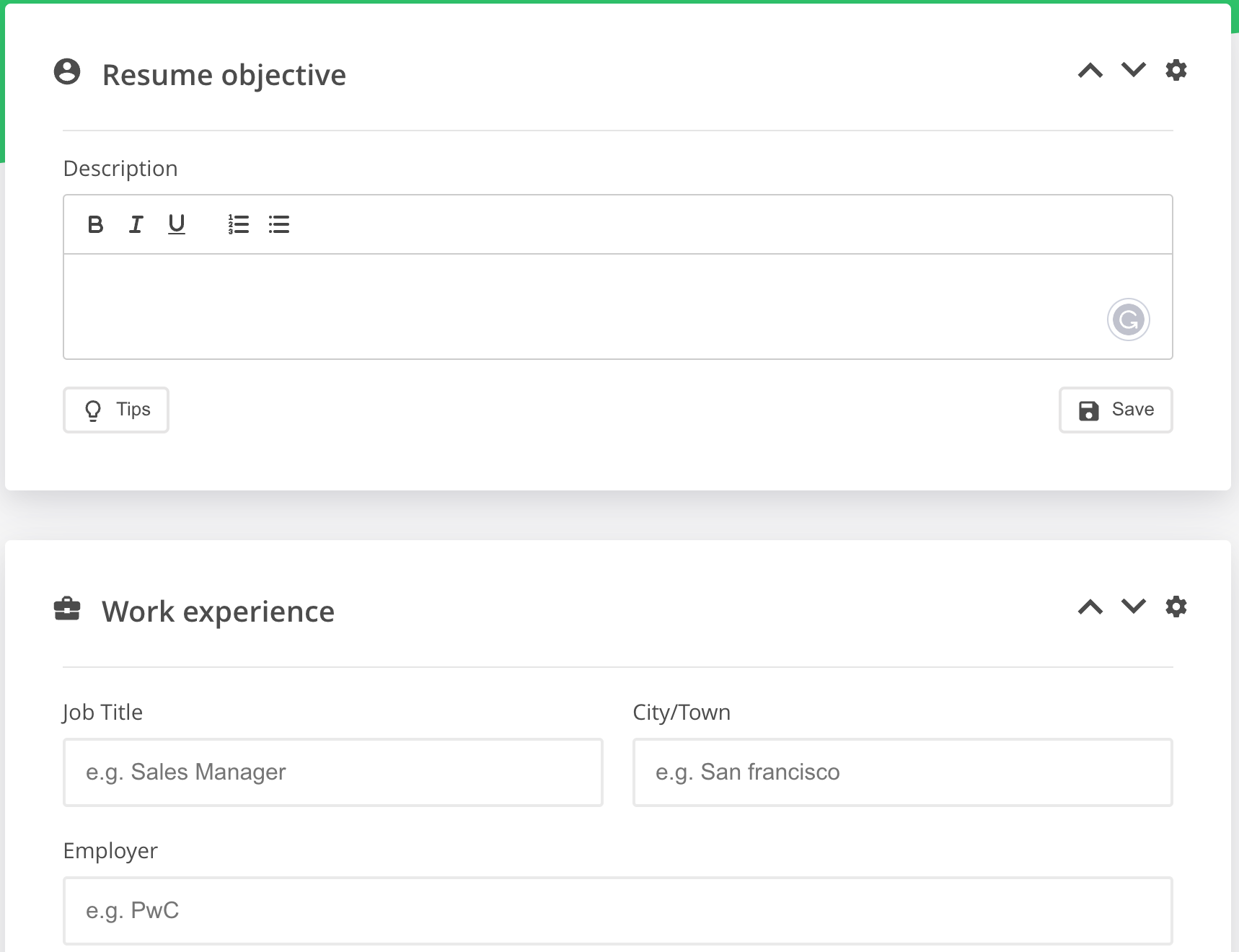
This site seems to target US users because it asks for a ZIP code (although you can cheat and enter a postcode). However, the quality even for US users doesn’t seem high enough. For example, they capitalise the default city incorrectly, calling it ‘San francisco’.
The builder also asks for details you shouldn’t put on a CV like your nationality and marital status, which are an invitation for employers to discriminate against you. (For example, they might refuse to hire a married woman if they think she’ll take maternity leave.)
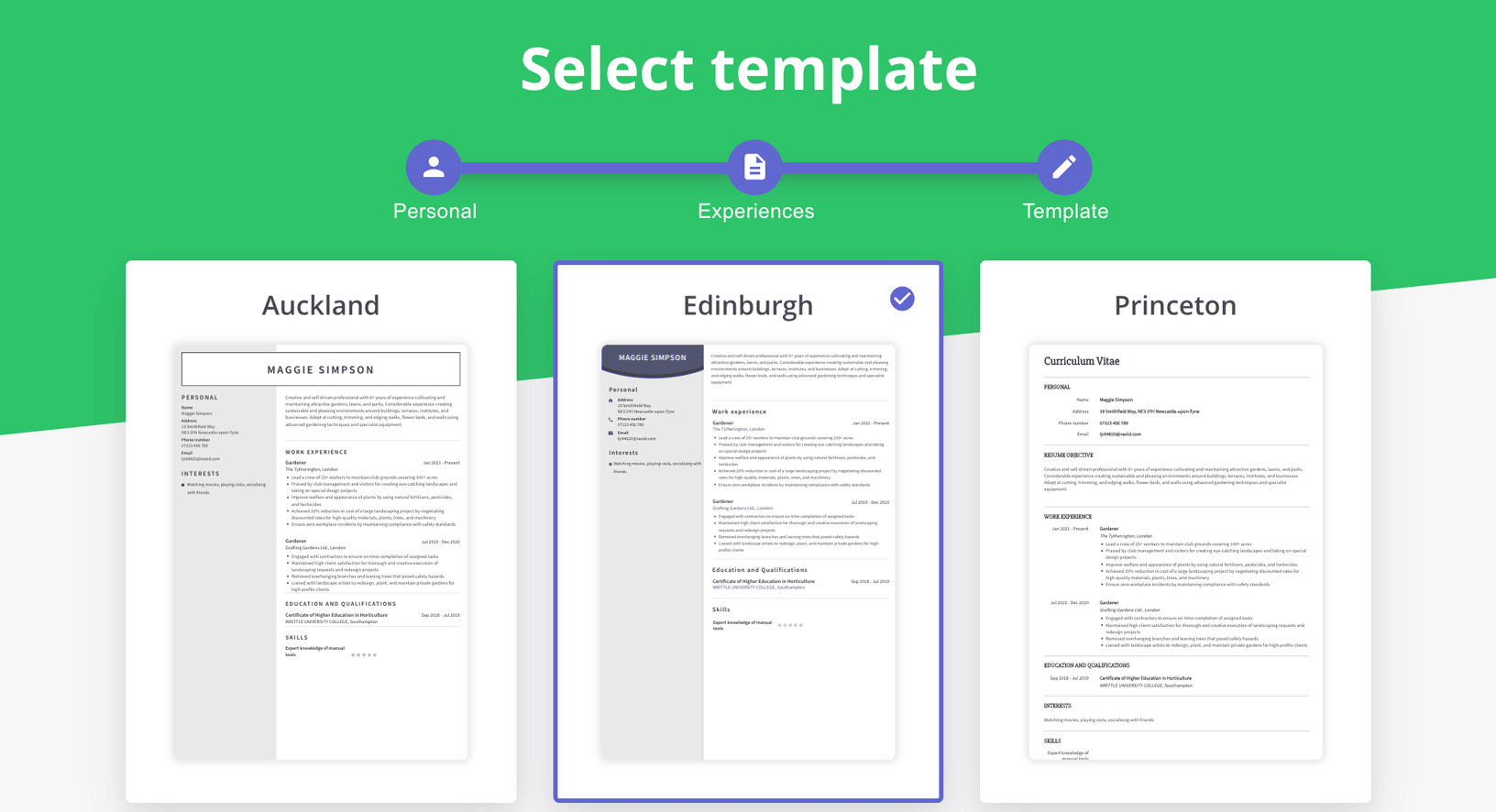
Other than that, this CV builder lets you type out your own ‘resume summary’ (CV summary), work experience entries, and skills section rather than providing ready-made content. Nine templates are available, and the pricing is set at $1.95 (~£1.60) (bear in mind this is high since many other CV makers provide pre-written content and more tempates for a similar price).
To save you time and money, we recommend you download a free CV template online and fill it in yourself for a comparable experience to what CV Maker offers.
Here’s what CV Maker’s platform looks like:
1. No pre-written content is available on CV Maker
2. Several CV Maker templates are on offer
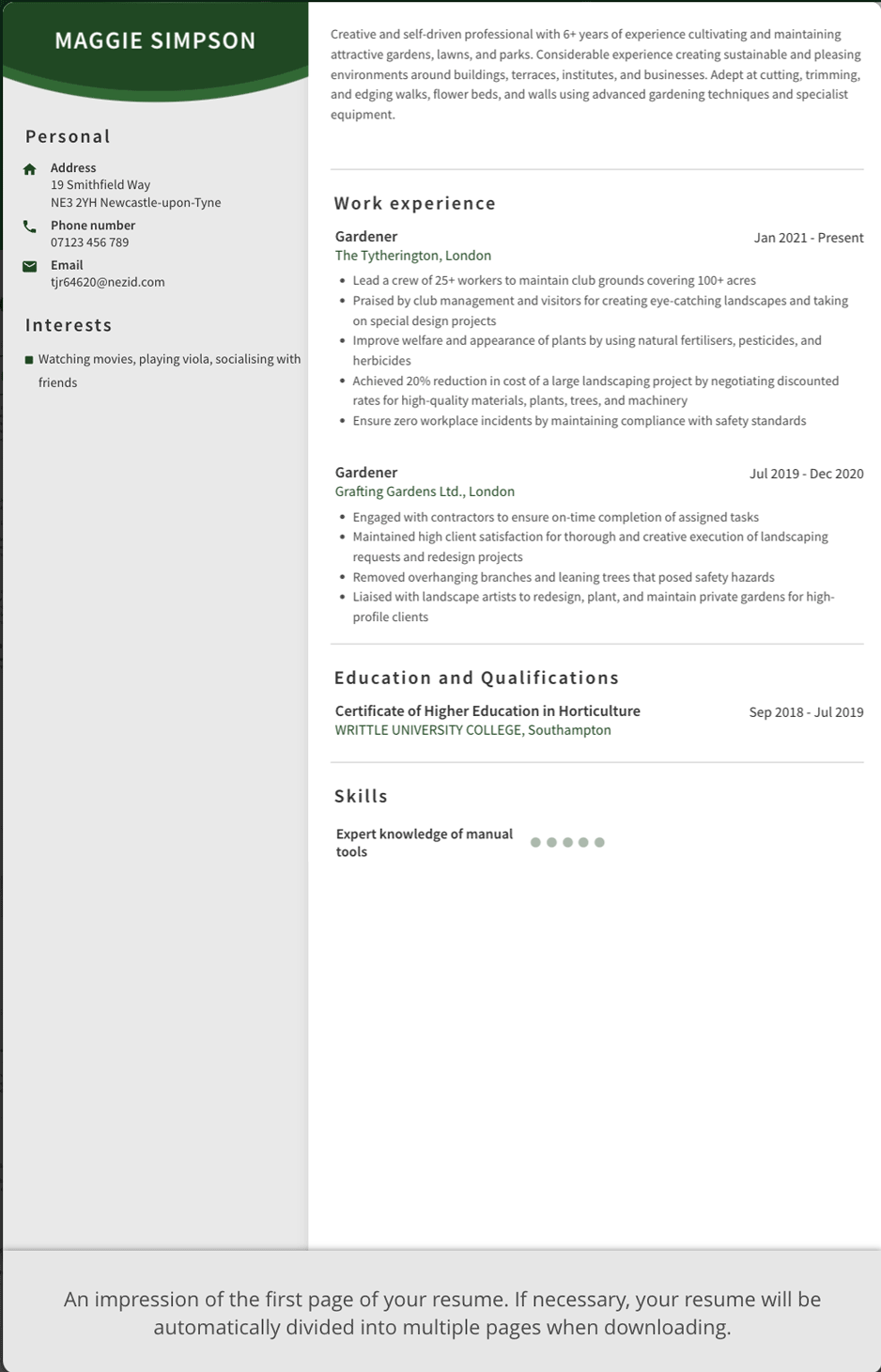
3. A preview of a CV Maker CV
Pros
- Nine templates
- Simple, uncluttered design
Cons
- No pre-written content
- Targets Americans
- Non-HR approved questions
Best Pricing Option
CV Maker charges you $1.95 (~£1.60) for its services.
Final rating: ★☆☆☆☆
Reasoning: No pre-written content, not adapted for the UK market, and asks inappropriate questions.
Paid vs. free CV builders: the summary
As you can see, paid apps take up the top spots among the UK’s top 10 CV builders. Although some of the free builders do offer some powerful options, it’s the paid apps that have the best features, the most pre-written content, and the most customisable templates.
With a little savvy manipulation of the subscription deals, you can download a great CV — and potentially boost your job hunt — for just a couple of quid, the same price as a Starbucks coffee.


